
1. Cart event
Capture item, quantity, currency, cart ID and timestamp from a trusted commerce source. Define exactly when the cart becomes abandoned.
An abandoned cart email is an automated reminder sent to an eligible shopper who left items in a basket without ordering. This guide shows how to set the trigger, timing, permission and purchase suppression, how to prove that recovered orders are incremental, and how to bring FroggyAds traffic into a store that is ready to convert it.
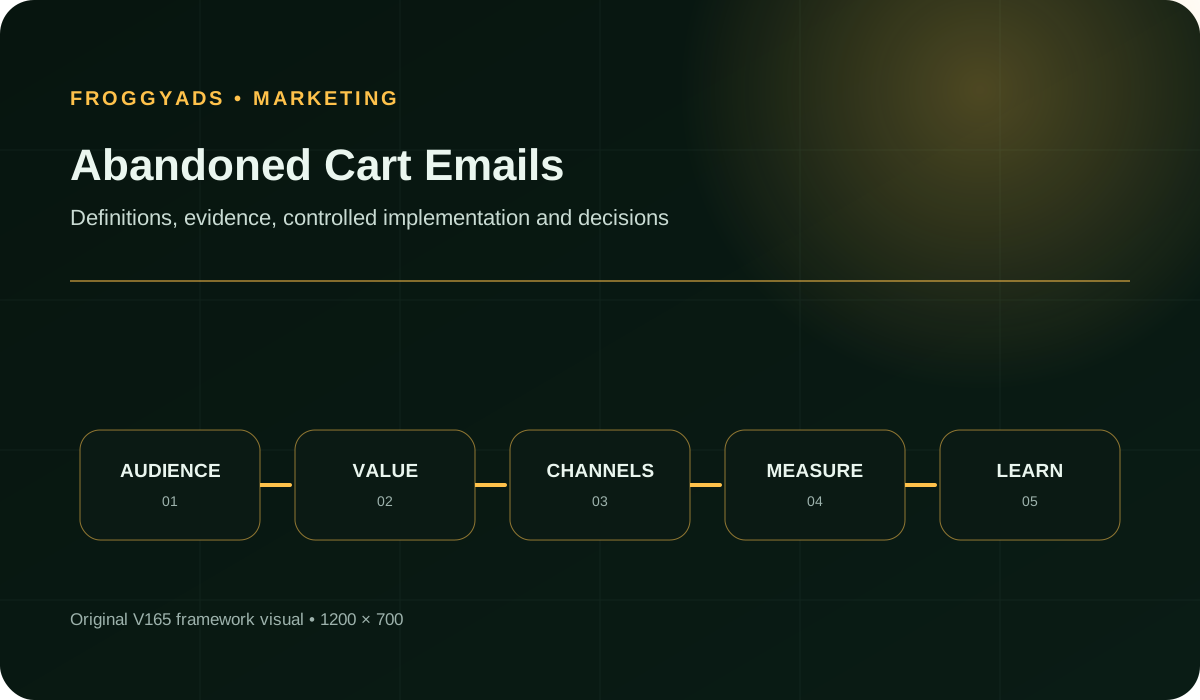
Quick answer: An abandoned-cart email is a triggered lifecycle message sent to an identified, eligible shopper after a recorded basket is left without a completed order. A dependable programme needs accurate cart and identity events, an appropriate messaging basis, purchase and unsubscribe suppression, current product information, a safe return link, deliverability monitoring and a measurement method that separates incremental recovered orders from purchases that would have happened anyway.
Start with the customer state, not the template. Decide how long a basket stays active, who may receive a reminder, which completed or invalid states suppress it, and when a price or stock change makes the original message unsafe. The primary business measure is mature recovered contribution or another accepted order outcome. Opens and clicks help you diagnose the journey but do not prove incremental revenue.
Gmail's email sender guidelines give useful deliverability context on authentication, unsubscribe handling and complaint rates, so check the current page before you send at volume. Your consent, privacy, consumer-protection and electronic-marketing obligations depend on the markets and relationships involved. Take appropriate legal advice instead of treating this page as a legal determination.
A reliable commerce event must identify a real unfinished basket and the programme's waiting period. A shopper who adds products but never starts checkout is in a different state from someone who starts checkout, enters contact details and leaves. Platforms treat these states differently. Shopify, for example, offers separate cart and checkout recovery automations. Map your own platform's event names and customer-identification rules before you pick a template.
| Trigger state | What it tells you | Best message job | Watch-out |
|---|---|---|---|
| Product added to cart, no checkout | Interest, possibly still comparing | Help the shopper decide: specifications, delivery, returns | Often no known address, so many of these carts cannot be emailed |
| Checkout started, contact details entered | Stronger purchase intent and an identified shopper | Restore the basket and remove the blocking question | Confirm the messaging basis for that address and market |
| Payment failed or declined | Intent to buy, but a technical or payment obstacle | Support and a retry route, not a promotional push | May belong to a service flow rather than a marketing flow |
| Product viewed or item saved | Early interest only | Usually a different programme from cart recovery | Do not call it an abandoned basket if no basket exists |
Define consent and list quality before you write copy. Eligibility checks should cover a recognised customer or permitted address, a non-empty basket, saleable products, current pricing, no completed purchase, no suppression and a frequency limit. Record why a person enters or leaves the sequence so customer service can explain any message. A platform setting that enables a send does not decide whether that send is lawful for your market and relationship.
Keep the reminder useful. Show only product details the system can refresh, make the route back clear, disclose conditions around incentives and avoid fabricated scarcity. If the basket cannot be restored securely, link to an authenticated account or the relevant product page and explain what the customer may need to do again.
The programme owns one lifecycle decision: whether a relevant reminder helps an eligible shopper resume a purchase without creating disproportionate complaint, privacy, support or margin pressure. That purpose separates this page from general email campaigns and from paid acquisition.
A reliable flow behaves like a state machine. The shopper enters after the qualifying cart event, waits for a documented interval and is checked again immediately before send. A purchase, unsubscribe, invalid address, deleted cart, unavailable item or customer-service hold can remove the person. Every transition needs an owner and a timestamp.
No delay is proven right for every store. A low-consideration item may suit a short wait, while a complex purchase can need comparison or internal approval before a reminder is useful. Measure the gap between basket creation, order and return visits in your own data, then test a small number of delays against a holdout.
Give each message in the sequence a distinct job before you choose its cadence. The first can help restore the basket. A later one might answer a delivery or product question that blocks the purchase. Avoid treating a fixed number of emails or a platform default as the right answer for every store.
Purchase suppression should use the authoritative order state and cover alternate devices or channels where feasible. Unsubscribe and complaint signals must reach the automation promptly. Test what happens when status data arrives late.
Personalisation should fail safely. If a name, image, price or stock value is missing, use an approved fallback or skip the message. Never expose one customer's basket to another person through a predictable or shared link.
| Test arm (hypothetical plan) | Hypothesis to test | Decide on |
|---|---|---|
| Short delay | Quick reminders suit low-consideration items | Mature accepted orders versus holdout |
| Longer delay | Higher-consideration items need time to compare or get approval | Contribution after discounts, returns and complaints |
| Holdout, no reminder | Shows how many shoppers return on their own | Baseline conversion of eligible carts |
The arms above are a test design, not a recommended schedule. Run them on comparable eligible carts and change only the delay.
Cart recovery can only work on shoppers who have already reached your store. FroggyAds helps you bring suitable new visitors in, while your commerce and lifecycle systems manage the reminder. Our supported ad formats, targeting and spending controls let you test an acquisition audience for the products and markets you serve. Your store records show which visits become eligible carts, and your email platform handles permission, sending and purchaser suppression. This split lets you evaluate the complete journey without giving the last email click credit for every later order.
Carry permitted campaign, source and creative identifiers into your analytics without placing unnecessary personal data in URLs. When a shopper later receives a recovery email, keep the original acquisition context separate from the email click. This stops the reminder from taking all the credit for a journey that began elsewhere.
Prepare the destination, event tracking and suppression tests before you buy more traffic. Then create your free FroggyAds account and launch a bounded acquisition cell. Increase spend only when accepted orders and contribution support the move.

Traffic volume cannot repair inaccurate basket data or missing consent evidence. Keep the media test paused while the lifecycle path is not ready.
Before you set an acquisition budget, check how thin the recoverable slice is. The funnel below is a hypothetical illustration, not a FroggyAds result or a benchmark. Replace each rate with your own analytics.
| Funnel step (illustrative) | Assumed rate | Resulting volume |
|---|---|---|
| Paid visits to the store | Starting point | 10,000 |
| Visits that create a cart | 6% | 600 carts |
| Carts with a known address or account | 40% | 240 carts |
| Carts still eligible after consent, suppression and stock checks | 75% | 180 eligible carts |
| Extra orders if the reminder lifted conversion by 2.4 points | 2.4% of 180 | About 4 orders |
In this example, 10,000 visits lead to roughly 180 emailable carts. The email programme works on under 2% of the traffic. Most revenue still depends on landing-page fit, checkout friction, device experience and the quality of the traffic source. This is why we recommend testing acquisition and recovery as two linked layers. Improving cart creation by a few points, or capturing more addresses legitimately, may matter as much as polishing the third reminder.
Capture item, quantity, currency, cart ID and timestamp from a trusted commerce source. Define exactly when the cart becomes abandoned.
Match the address or account to the basket under an appropriate messaging basis. Document anonymous and cross-device limitations.
Check product availability, market, customer state, address validity and message permissions immediately before every send.
Remove purchasers, unsubscribers, complainers, expired carts and service exceptions fast enough to prevent an irrelevant reminder.
Use accurate product context, a clear reason to return, accessible structure and honest terms. Let missing data fail safely.
Restore the intended basket securely or explain the next step. Test authentication, expiry, device changes and price updates.
Join eligibility, delivery, qualified return, accepted order, contribution, suppression and complaint evidence under defined windows.
Name owners for data, copy, deliverability, legal review, customer support, analytics, incident response and programme changes.
The central question is how much value the reminder recovered that would not have come back anyway. A reminder can be associated with an order without causing it, because some shoppers return naturally. Use a random or otherwise defensible holdout where practical, keep eligibility comparable, and report the method and its limitations.
| Measure | Definition discipline | Decision use |
|---|---|---|
| Eligible carts | Unique carts that passed the trigger and suppression rules | Defines the denominator |
| Qualified returns | Valid sessions that reached the intended cart or checkout | Diagnoses the return path |
| Accepted recovered orders | Mature orders under the declared attribution and status rules | Shows completed recovery |
| Incremental contribution | Difference versus holdout after discounts, returns and variable costs | Determines commercial value |
| Unsubscribe and complaint pressure | Events per delivered message and per eligible customer | Protects permission and deliverability |
Reconcile lifecycle-platform events with ecommerce orders and refunds. Keep the order timestamp, currency, discount, return status and cart identifier available. Open rate can be distorted by privacy features and automated scanning, so treat it as a diagnostic signal rather than the programme's commercial result.
| Pattern you see | Likely meaning | Next step |
|---|---|---|
| Many clicks, orders equal to holdout | Shoppers were returning anyway, or the return path is broken | Test the saved-cart link and checkout before changing copy |
| Orders clearly above holdout, margin falling | Discounts may be buying orders you would have won at full price | Compare contribution with and without the incentive |
| Orders above holdout, complaints rising | Frequency or relevance is hurting permission and deliverability | Cut a message or tighten eligibility |
| Orders above holdout, guardrails stable | Reminder adds value at the tested volume | Change one element next and keep the holdout |
Use paid traffic to attract visitors whose needs and device context match the store, then let the email programme serve only eligible known shoppers. Push, native, display and pop formats create different expectations before the landing page. Keep the creative promise, destination and product eligibility consistent so the visits that do create carts are worth recovering.
Record the FroggyAds campaign and source that started the visit, the lifecycle flow and message that brought the shopper back, and the accepted order. Do not overwrite the original source when the email click occurs. Compare both assisted and incremental views.
We give you supported ad-format, targeting, bid, budget and source controls for the acquisition test. Choose the traffic conditions your store can handle and keep your campaign identifiers available for order reconciliation. Your commerce and email systems keep customer identity, consent, cart state and messaging. Start your next campaign with FroggyAds when those systems can support the intended shopping journey.

Match the campaign to a mobile-ready checkout and the markets you can actually serve. A reminder cannot recover demand from an ineligible or unusable destination.
| Format | What to align on the landing page | Cart-recovery implication |
|---|---|---|
| Push | A direct, specific promise the destination can fulfil immediately | Use source and creative IDs to see which messages create carts, not just clicks |
| Native | Editorial-style context that continues into a clear product or offer page | Longer consideration may justify a later first reminder; test it |
| Display | Visual consistency between banner, product and price | Mismatched price or product creates carts that later fail the freshness check |
| Pop | A fast, uncluttered page that explains the offer at once | Compare cart creation and accepted orders by source before scaling |
Our self-serve platform connects to a wide supply network with 750+ SSP integrations. You can start with a $50 minimum deposit. That deposit funds your balance and is not a forecast of campaign cost or results. Starting prices from $0.003 per click for push and native and $0.10 per 1,000 impressions for display are entry points. What you actually pay depends on your bid, targeting and competition, so treat your first budget as a test that must produce enough carts to compare.
A customer may need specifications, delivery information or approval before returning. Test a longer wait and useful decision support rather than immediate discounting, and measure contribution after the full consideration window.
Stock and price can change before send. Refresh availability at message generation and again on the destination. Skip or adapt the reminder when the original combination cannot be fulfilled.
A cart often starts on one device while the email opens on another. Use secure account-based restoration where available, disclose when login is required and measure the loss caused by identity gaps instead of assuming the cart disappeared.
Use segmentation only when a reliable distinction changes the reminder or customer treatment. A high-consideration item may need product information, while a delivery concern may need clear shipping terms. Keep eligibility and permission checks in every segment so that an incentive rule never overrides a suppression.
Pause the programme when identity, permission, suppression, link security or product truth cannot be verified. Recovery revenue does not justify an unsafe customer experience.
An abandoned-cart programme can have a low marginal sending cost while still requiring material integration and operating work. Include commerce-event engineering, identity matching, consent records, template production, accessibility review, deliverability monitoring, analytics, holdout design, customer support, incentive cost, refund exposure and ongoing maintenance.
Set a learning budget for changes. A timing test needs enough eligible carts to compare mature accepted orders without pressuring the whole customer base. Evaluate a checkout repair separately from a subject-line experiment, because the work, risk and outcome differ.
A hypothetical calculation shows the boundary. Suppose 1,000 eligible carts are split evenly between a reminder and a holdout, and the mature groups produce 62 and 50 accepted orders. The observed difference is 12 orders, or 2.4 percentage points of the 500 carts in the reminder group. Now assume, purely for illustration, that each incremental order earns $18 of contribution before programme costs. The gross incremental contribution is $216. Subtract discounts given to shoppers who would have bought anyway, returns, fulfilment and tooling before you call it profit. If a 10% incentive was also sent to all 62 reminder-arm purchasers, it may consume most of that gain. This is arithmetic, not a FroggyAds result or guarantee.
Scale only when marginal recovered contribution stays positive and deliverability, complaints, service workload and stock remain acceptable. Save the assumptions so finance and marketing can reproduce the decision.
Acquisition creates a visit, the cart system records shopping intent and lifecycle messaging can invite an eligible known shopper back. Each system should keep its own evidence while sharing stable, permitted identifiers for reconciliation. Review how to buy traffic for the media-planning layer, then use this page for the post-visit recovery layer.
| Stage | Owner | Evidence |
|---|---|---|
| Paid acquisition | Traffic platform and advertiser | Campaign, source, creative, spend and delivered visit |
| Shopping session | Store and analytics | Product views, cart ID, items, currency and checkout state |
| Lifecycle eligibility | Email and consent systems | Identity, permission, wait, suppression and send decision |
| Recovery outcome | Commerce and finance | Accepted order, contribution, return and refund status |
Do not pass sensitive customer information into advertising parameters. Use privacy-conscious, documented joins and access controls, and report when consent or device boundaries prevent complete attribution.
Start a focused FroggyAds acquisition campaign once the store, tracking and recovery flow have passed their own checks. Select a supported format, audience, destination and spending boundary that match the product's availability. Our campaign controls help you test that traffic purchase while your permitted analytics and order records show eligible baskets, recovery participation and accepted orders. Keep the original source available so the email flow does not receive automatic credit for every return.
Create your free FroggyAds account when the destination can serve the intended market and the recovery programme can suppress purchasers correctly.

Choose from your operating requirements rather than a generic feature list. Ask each vendor to demonstrate the complete cart-to-order path in a test environment and to show evidence for failure states.
Can the system ingest authoritative cart, customer, stock and order events with timestamps and idempotency? Ask the vendor to show how consent and list quality, authentication and deliverability, segmentation and cadence are controlled for your actual flow. Inspect the entry, send and exit records rather than accepting a feature name as proof that the integration works.
Which consent and customer-state checks does the vendor apply for your markets? Demonstrate how a purchase, unsubscribe or complaint stops a queued message, including the behaviour when an event arrives late.
Are product fields refreshed, escaped and accessible? What happens when an image, name, price, stock state or saved-cart URL is missing?
Can you export eligibility, delivery, click, order and suppression records? Does the tool support holdouts and keep the identifiers needed for mature reconciliation?
Review roles, audit logs, retention, processors, service availability, support, pricing basis, data export and exit options. Approve only the use cases you actually tested, with named owners for incidents and future changes.
Run a test shopper through the real cart and email flow before you expand it. Include a basket abandoned before checkout, a started checkout, a later purchase and an unsubscribe. These checks connect what the customer sees to the state your systems use for sending.
Keep the tested flow version and the responsible support owner with your launch record. A failed purchase suppression or unsafe return link should stop the affected sequence. Resolve that fault before you buy additional traffic or add more reminders.
An abandoned cart email is an automated reminder sent to an identified, eligible shopper who left items in a basket without completing an order. It should go out only after your commerce platform records a real unfinished cart, the waiting period has passed, and a final check confirms there is no order, unsubscribe or suppression. It is a lifecycle message tied to one basket, not a general newsletter.
Use both signals if your platform separates them, but give each a different job. A cart without checkout means the shopper may still be comparing, so the message should help with product information, delivery or reassurance. An abandoned checkout means the shopper entered contact details and showed stronger intent, so the message should restore the basket and remove the obstacle. Map your platform's event names first, because platforms handle these states differently.
No delay is proven right for every store. Measure the time between basket creation and order in your own data, then test two or three delays against a holdout. For example, compare a short wait for low-consideration items with a longer wait for products that need comparison or approval. Judge the winner by mature incremental contribution, not by opens.
Start with one useful reminder and add a second only when it has a different job, such as answering a delivery or returns question. Hold discounts back until you know the incremental effect of the full-price reminder, because incentives cut margin and can teach shoppers to abandon on purpose. If you do use one, state its conditions clearly and measure contribution after discounts and returns.
You need an appropriate messaging basis for each recipient and market. Rules differ by country and by whether the person is a subscriber, an existing customer or a first-time visitor, and a platform toggle does not settle the question. Every message also needs a working way to stop future emails. Take legal advice for your markets, because this page is not a legal determination.
Hold back a random share of eligible carts, send the reminder to the rest, and compare mature accepted orders and contribution between the groups. In our hypothetical example, 500 reminded carts produce 62 orders and 500 held-back carts produce 50, so the reminder is associated with 12 extra orders, or 2.4 percentage points. Without a holdout, reminder-attributed orders also include shoppers who were coming back anyway.
Check the return path first. Confirm that the saved-cart link restores the basket on mobile and across devices, that price and stock have not changed, and that login or shipping costs are not blocking checkout. Automated link scanners can also inflate click counts. Repair the clearest break before you add more emails, because extra frequency amplifies a poor experience.
No. FroggyAds does not send cart reminders or guarantee recovered sales. We provide the paid acquisition side: a self-serve platform with supported ad formats, targeting, bid, budget and source controls. Your store and email platform keep the customer identity, permission, cart state and order evidence.
Create an account and add the $50 minimum deposit, which funds your balance and is not the campaign price. Choose a format (push, native, display or pop), targeting, bid and budget, and tag campaign and source identifiers in your analytics. Starting prices from $0.003 per click for push and native and $0.10 per 1,000 impressions for display are entry points, and your actual cost depends on your bid and competition. Size the first test to produce enough carts to compare, and launch only after checkout and suppression have been tested.
Keep source identifiers granular so you can compare cart creation and accepted orders by source. Use whitelists and blacklists in FroggyAds to expand good sources and exclude weak ones, and note that our platform integrates with Adscore alongside internal quality controls to help filter low-quality traffic. Watch for carts with invalid or fake addresses, exclude them from the recovery denominator and suppress sending to them to protect deliverability.
These references provide sender, marketing, implementation and accessibility context. They do not determine your legal basis, certify a vendor or validate a specific result.
Record the date and exact material reviewed, then test the implementation in your own commerce, messaging and analytics systems.
| Decision field | What to record |
|---|---|
| Abandonment event | Authoritative cart event, waiting period, cart expiry and completed-order state |
| Eligible shopper | Identity, market, permission, product and customer-state requirements |
| Suppressions | Purchase, unsubscribe, complaint, invalid address, expired cart and service holds |
| Message job | Restore, inform, support or close; include timing and frequency boundary |
| Return path | Secure cart restoration, login, expiry, price and stock behaviour |
| Accepted outcome | Order state, value, currency, attribution, maturity, refund and return handling |
| Acquisition source | FroggyAds campaign, source and creative identifiers kept separate from the email click |
| Guardrails | Complaints, unsubscribes, bounces, margin, service work and deliverability |
| Owners | Commerce data, messaging, legal review, support, analytics and incident response |
Attach test evidence for each field. A later reviewer should be able to reproduce why a customer entered the sequence, why a message was sent, how an order was credited and which condition would pause the flow.
Use FroggyAds when the store can receive the intended audience, the cart event is reliable and the lifecycle programme can suppress completed purchases. Start with one bounded acquisition hypothesis, keep the source evidence, and judge the combined journey from accepted orders and contribution rather than email clicks alone.
Start your next campaign with FroggyAdsFirst decide whether your current recovery system is operationally safe. Confirm the cart event, eligibility rule, permission record, purchase suppression, secure return path, product freshness and unsubscribe behaviour. If any one of those controls is uncertain, repair it before you add frequency or acquisition volume.
Pick one improvement question, such as timing, useful information, subject line, return-route clarity or incentive policy. Keep a comparable holdout where practical and define mature accepted contribution. Version the change and preserve the stable flow.
Use FroggyAds to buy a bounded traffic cell for the market and device experience your store supports. Keep the campaign source attached to the journey, then evaluate cart creation, recovery eligibility and accepted orders separately. Create your free FroggyAds account.
Scale only after the result reproduces at the next meaningful volume level without weakening deliverability, customer trust, stock, service capacity or contribution.
Ecommerce teams can use this workflow to evaluate a recovery programme from basket event and shopper eligibility through suppression, secure return and mature order contribution. Choose a traffic audience only after the store can support that path. The re-engagement emails guide covers customers or subscribers who have become inactive, which calls for a different trigger from a current unfinished basket.
Advertisers, affiliate marketers, media buyers, ecommerce operators and agencies can use it when paid acquisition feeds a store with lifecycle automation. Give commerce, CRM, analytics, deliverability, legal and support owners the same state map so that a local metric does not hide a customer or margin problem.
We built a self-serve platform for advertisers who want control over the traffic behind their store journey. You choose the format, targeting, bid, budget and sources. Whitelists and blacklists let you keep what works and drop what does not, and our Adscore integration and internal quality controls support traffic-quality screening. A $50 minimum deposit and starting prices from $0.003 per click for push and native or $0.10 per 1,000 impressions for display let you run a small, measurable first test. Your order and recovery records then show how those visits contribute to eligible carts and accepted purchases. Choose FroggyAds for your next traffic campaign.
FroggyAds does not send the cart email or guarantee a recovered sale. Your store and lifecycle systems keep the customer, permission and order evidence.
Verify that the basket is real, the shopper is eligible, the message is permitted, a completed purchase stops the flow and the return link is secure. Then measure mature incremental orders against a comparable holdout while you watch complaints, unsubscribes, margin and service workload. Use paid acquisition only after that lifecycle path can handle the additional journeys safely.