
Buy pop traffic with full-page reach
Use FroggyAds pop ads to send eligible visitors to a full landing page in a separate browser window or tab where supported. Our published Pop starting bid is $0.0001 CPC; your bid, targeting and available inventory determine actual delivery and cost.
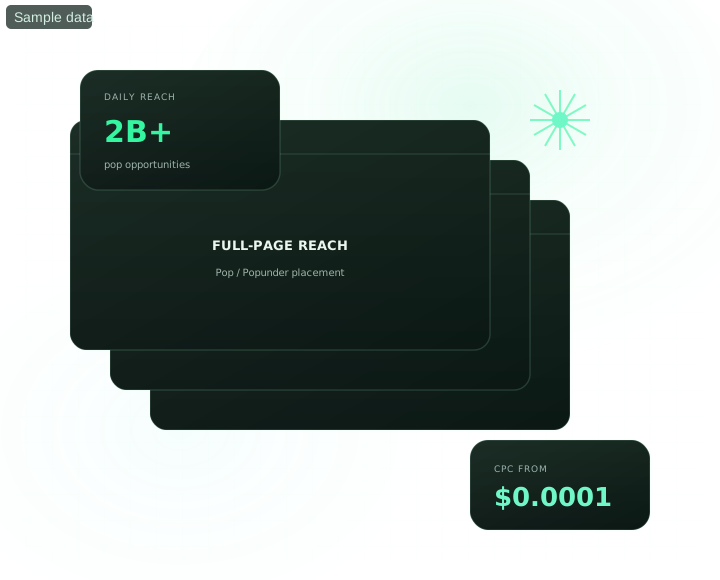
Buy pop traffic with FroggyAds: at a glance
How do FroggyAds pop ads work?
Quick answer: FroggyAds Pop works by loading your landing page in a separate browser window or tab where the browser supports that behaviour, so the destination becomes the creative. Start with one eligible GEO and device route, confirm tracking, control frequency and evaluate advertiser-accepted outcomes by source. Our published $0.0001 CPC figure is a starting bid, not a fixed campaign price or a promised acquisition cost.
| Section | Distinct excerpt from this page |
|---|---|
| Full-page canvas | Your destination is the creative, so its first screen must explain the offer, terms and next action without relying on a banner. |
| Volume for testing | High-volume supply supports separate GEO, device and landing-page cells when each cell has enough budget to reach a useful decision. |
| Lowest entry cost | The published Pop starting bid is $0.0001 CPC. Actual delivery and cost depend on your bid, targeting and available inventory, so judge the test by advertiser-accepted outcomes. |
Reference for Buy Pop Traffic from $0.0001 CPC: FTC guidance on online advertising and marketing.
- Planning: What are pop ads?
- Control: Match the landing page to a cold full-page visit.
- Decision: Verify the format, bid, frequency and device route before launch.
What are pop ads and what does the buyer receive?
A pop or popunder opens your destination in a separate browser window or tab after an eligible interaction on a publisher page, subject to browser behaviour. There is no banner between the visitor and your offer: the landing page must create context, qualify the visitor and present the next action. FroggyAds gives you targeting, frequency and source controls so you can test that full-page route against accepted business outcomes.
Why use pop ads for a direct-response test?
The landing page is the creative
Visitors reach the destination without a banner explaining the offer first, so the page must create relevance and trust immediately.
Supply for controlled testing
Test available supply under one controlled GEO, device, source or destination condition at a time, then wait for the accepted event to mature.
Low published entry bid
Our published Pop entry bid starts at $0.0001 per visit. Use a capped test to compare the actual traffic cost with accepted customer actions; the entry bid is not a fixed campaign price or proof that Pop will be the cheapest route to a customer.
Which pop ads specifications should you verify?
Verify these Pop specifications before launch: delivery context, destination URL, frequency setting, device route, pricing model and targeting exposed in your live FroggyAds account.
- Format
- Popunder (full page)
- Creative
- Your landing page URL – no banner required
- Frequency capping
- Configurable per user
- Devices
- Desktop and mobile
- Pricing model
- Per click (CPC)
- Entry bid
- From $0.0001 CPC
- Volume
- High – suited to scale testing
- Targeting
- GEO, device, OS, browser, carrier, source
Which pop ads targeting controls should you start with?
Start with the controls required by offer eligibility or destination compatibility. Add narrower source or category decisions only after accepted-outcome evidence supports them.
GEO & City
Target by country, region or city with granular bid control.
Device & OS
Split delivery by device type—mobile, desktop or tablet—and by supported operating-system version.
Browser
Reach users on specific browsers and browser versions.
Carrier & ISP
Filter by mobile carrier or connection type for offer fit.
Category
Select a supported content category shown in your current account when context is part of the hypothesis.
Source & Zone
Whitelist or blacklist individual source IDs and zones.
How should you start and scale a pop ads campaign?
Treat the published entry bid as an auction starting point, not a forecast. Set a capped learning budget, verify accepted outcomes by source and raise a bid only when the additional supply can be evaluated. SmartCPC can assist with bid adjustments from available campaign signals; your accepted conversion remains the commercial decision.
Start running pop ads on FroggyAds
Create your account, fund it from the documented $50 minimum deposit and build one measurable Pop campaign through our self-serve workflow.
Which campaign types can test pop ads?
Direct-response campaign types can test Pop when the offer explains value and qualification quickly. Confirm format permission, market eligibility and destination fit before spending.
Pop ads, answered
What are popunder ads, and how do visitors reach my page?
Popunder advertising opens your destination in a separate browser window or tab, typically behind the page someone is using. Your landing page is the advertising creative, rather than a banner they must read first. With FroggyAds, you can test that full-page experience against specific countries, devices and traffic sources. Browser behaviour varies, so measure what visitors do after arrival rather than assuming every opened page receives attention.
Why choose FroggyAds for affiliate pop traffic?
FroggyAds self-serve controls let you buy Pop traffic, set a test budget and compare results by source. That suits an affiliate buyer who wants to find which placements work for a particular offer instead of buying an unexplained traffic package. Confirm that your affiliate program permits Pop traffic, then evaluate approved commissions against the spend attributed to each source.
Do I need banners or other creative assets to launch pop ads?
A FroggyAds Pop campaign uses your landing-page URL, so banners are not required. Put the offer, its main benefit and the next action where an arriving visitor can understand them quickly. Check mobile layout, loading, redirects and the form or checkout before launching. This makes the destination do the selling without relying on a separate ad image to explain why the visitor should stay.
How much does FroggyAds pop traffic cost?
The published FroggyAds Pop starting bid is $0.0001 CPC, presented as a per-visit entry rate. It is not a fixed-price traffic package: your bid, targeting and available inventory affect delivery. The $50 minimum deposit funds your account, while the campaign budget limits your test allocation. Compare the resulting cost per approved lead or sale, not just the smallest advertised unit price.
Which landing pages are suitable for a first popunder campaign?
Start with an offer that is easy to understand on arrival and a page that explains its terms clearly. Pop visitors have not necessarily read a headline advertising your product, so a page that assumes prior interest can lose them. A straightforward benefit, recognisable business and easy next step give your FroggyAds test a clearer chance to identify genuinely interested prospects.
Should pop traffic go directly to an offer or through a pre-lander?
Send visitors directly when the offer page already explains the product and makes the action clear. A pre-lander can help when people need context before deciding, but it adds another step that can lose visitors. Test the two journeys using the same commercial goal. A higher pre-lander click-through rate is not a win unless it also improves qualified leads, approved conversions or sales.
Can I separate mobile and desktop popunder traffic?
Yes. Our device and operating-system targeting lets you separate the experiences your offer supports. Test the destination on each selected device, especially forms, downloads and payment steps. Keep country eligibility aligned with the offer as well. Reviewing those campaigns separately helps you distinguish a landing-page compatibility problem from a traffic-source problem before changing bids.
Why can reported pop visits differ from analytics sessions?
A recorded ad interaction and a measured analytics session are not identical events. A new page may close before its analytics loads, lose parameters during a redirect or be affected by browser restrictions. Compare the same source, time zone and period, then test the actual destination. Investigate persistent unexplained differences without treating every missing session as proof of invalid traffic.
How should I use frequency capping for pop ads?
Use our configurable per-user frequency control to manage repeated delivery, then review whether additional exposure brings useful actions. A short signup journey and a considered purchase may need different tests; there is no universal cap that guarantees results. Keep the offer stable while changing frequency and compare conversion value with spend, rather than judging success only by the number of pages opened.
How do I scale a pop campaign without buying more of the wrong traffic?
Identify sources producing approved conversions at a cost your offer can support. Keep those results separate from new sources, and change one major bid or budget setting at a time. Our source lists and reporting help you retain what works while testing additional inventory. Start your next pop campaign with FroggyAds and let conversion value guide the expansion.
Pair it with another format
Most winning strategies combine two or three formats across the funnel.
Push Ads
Opt-in notification traffic with strong click-through rates.
Interstitial Ads
Interstitial ads create full-screen transitions between content states; test them separately from the Pop delivery path described on this page.
Display Ads
Classic banner inventory across desktop and mobile web.
Launch your first pop ads campaign
Create your FroggyAds account, fund it from the documented $50 minimum deposit and access our 20B+ daily-impression network. Review the published conditions if refund eligibility matters to your decision.
Planning a paid traffic campaign?
Consult the primary buy traffic guide to compare formats, targeting controls, starting prices, source-quality checks, budgets and the step-by-step FroggyAds self-serve workflow.
See it inside the platform
Manage the campaign in one self-serve workflow: launch, apply supported targeting, review results by source and make measured bid, budget or source decisions.
- Launch and target in one workflow
- Read performance by source ID
- Use SmartCPC and Adscore-supported controls where available
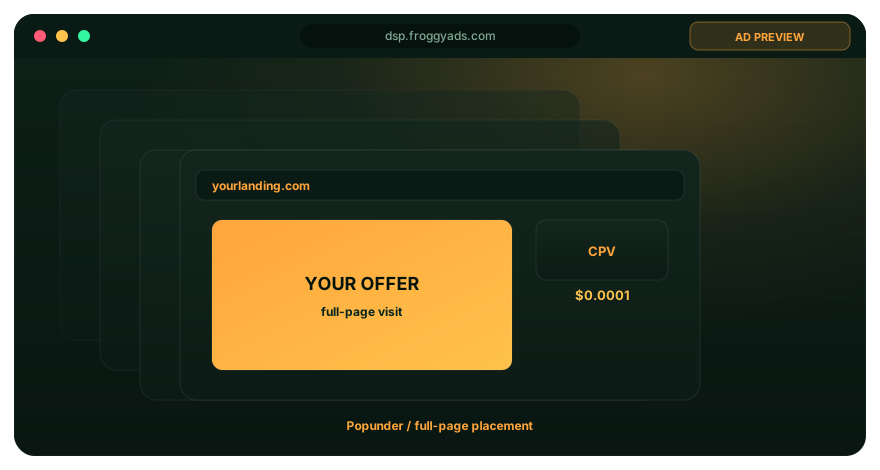
Plan pop ads by objective
Choose a playbook based on the business outcome, then keep the format, destination and measurement aligned.
Pop Ads for Affiliate Marketing
Confirm the affiliate program permits Pop, track approved commissions by source and scale only the placements that stay inside your accepted acquisition cost.
Pop Ads for App Installs
Separate supported operating systems and device routes, validate completed installs or downstream registrations and exclude sources only after the event matures.
Pop Ads for B2B Demand Generation
Use a pre-lander when the offer needs context, qualify the business visitor clearly and compare accepted leads rather than raw form submissions.
Pop Ads for Brand Awareness
Control frequency, keep the destination consistent with the brand promise and judge whether the full-page visit produces useful engagement without assuming every open received attention.
Pop Ads for Direct Response
Direct-response Pop ads should lead with one clear action, preserve the source identifier through the destination and compare mature accepted outcomes with spend.
Pop Ads for Ecommerce
Show the product, price, shipping boundary and checkout path immediately, then compare accepted orders and refunds by source and device.
Pop Ads for Lead Generation
Lead-generation Pop ads should state the qualification rule before launch and measure accepted leads, rejection reasons and cost by source instead of rewarding form volume alone.
Pop Ads for Local Business Advertising
Restrict delivery to serviceable locations, test mobile contact paths and reconcile calls or leads with the same local eligibility rule.
Pop Ads for Retargeting
Use this playbook only when your audience, consent and campaign setup support the intended re-engagement route; keep the frequency and accepted event explicit.
Pop Ads for Subscription Growth
Subscription-growth Pop ads should explain trial or billing terms on arrival, track accepted subscriptions beyond the first click and monitor refunds or cancellations before scaling.
New growth and media buying playbooks
Explore focused guides built around distinct target keywords, measurable campaign decisions, source-level controls and quality-aware optimization.
Compare traffic platforms before moving budget
Compare formats, funding, targeting, source controls and migration steps in the FroggyAds platform library before moving budget.
Build a pop ads test that can separate traffic cost from conversion quality
Pop ads can deliver substantial reach at a very low entry price, but the media cost should never be the only success measure. Define the advertiser's accepted conversion before launch and decide how long that event normally takes to mature. A registration, lead, install, purchase or other business action should be validated using the same rules throughout the test. This gives the campaign a stable denominator for comparing sources and prevents cheap visits from being mistaken for profitable acquisition.
FroggyAds pop traffic starts from very low CPC pricing and is supported by granular campaign controls. The practical advantage is the ability to buy enough traffic to learn while still managing country, city, device, operating-system, browser, carrier, category and source-level decisions. Begin broad enough to collect evidence inside the offer's real eligibility boundaries. If the campaign is restricted to a tiny whitelist before any recent test exists, the buyer may simply reproduce an old assumption instead of discovering the current source mix.
| Test stage | Primary question | Evidence to keep |
|---|---|---|
| Launch | Is delivery reaching eligible users and compatible devices? | Spend, sessions and technical checks |
| Validation | Do tracked actions match the advertiser's accepted definition? | Accepted and rejected outcomes by source |
| Optimization | Where is weak performance repeatedly concentrated? | Source, device, GEO and creative comparisons |
| Scale | Does quality survive a controlled increase? | Mature CPA or value after new inventory enters |
The landing page should be built for immediate comprehension. State the offer, qualification and next step clearly on the first useful screen, especially on mobile. Test the page on the browsers and operating systems included in targeting, verify that redirects and forms behave correctly and confirm that conversion identifiers survive to the reporting system. A broken destination can make every traffic source look poor, while a confusing first screen can produce exits that have little to do with inventory quality.
Optimize sources only after tracking is trustworthy. FroggyAds allowlist and blocklist controls can be used to isolate repeated inventory patterns, but each decision should have a minimum evidence rule. A source with a small number of visits can move from apparently excellent to apparently weak with one delayed conversion. Use a written pause threshold, review the normal conversion delay and look for concentration by device, market or landing-page variant before applying a broad exclusion.
Scale with controlled changes. Increase budget or bid in steps, keep the best current destination and measurement definition stable, and compare the new period with the same accepted outcome. More volume can change the inventory mix, so a profitable first sample is evidence for the next test rather than a guarantee. FroggyAds gives media buyers the controls to keep that expansion measurable while the advertiser maintains responsibility for offer economics, creative and the post-click experience.
How should a media buyer evaluate pop traffic before scaling?
Pop is a full-page or separate-window traffic format where the browser supports that delivery. Decide whether a cold visit can understand the offer, complete the route on the selected device and produce an advertiser-accepted result. Keep frequency, destination readiness, source identity and conversion maturity in the same review before raising the bid or budget.
Use the definition, format specifications and campaign workflow above as one decision path. The table turns them into five checks: offer fit, device readiness and source evidence, economics and the scale rule.
| Decision | What to verify | FroggyAds action |
|---|---|---|
| Offer and destination fit | Define the accepted business event, the visitor qualification and the maximum learning loss before the first Pop visit is bought. | Launch one FroggyAds campaign cell with a stable destination and conversion definition. |
| Device and market readiness | Verify market eligibility, device and browser compatibility, language and any offer restrictions before launch. | Apply only the FroggyAds targeting controls that change serviceability or the destination experience. |
| Source evidence | Preserve the source identifier through the landing path and compare accepted and rejected outcomes after the same maturity window. | Keep, cap, exclude or retest inventory from documented source evidence rather than click volume alone. |
| Campaign economics | Connect media spend to accepted conversions, refunds or rejections and the value that remains after the normal delay. | Protect the test with a written budget boundary, stable attribution and a maximum accepted cost. |
| Scale rule | Name the minimum mature outcome evidence that earns the next bid or budget increase. | Change one major control at a time and compare marginal accepted performance with the prior baseline. |
A page-specific FroggyAds test sequence for pop ads
- Outcome: define the accepted lead, install, order or other business event and the maximum loss allowed while the first Pop cell is learning.
- Path: verify market eligibility, device experience, landing-page continuity, redirect behaviour and tracking before buying more traffic.
- Hypothesis: launch one bounded FroggyAds cell and keep the bid, audience condition and destination stable long enough to interpret the result.
- Source review: compare qualified activity, accepted outcomes, rejection reasons, timing and cost by source, device and market.
- Scaling: increase one major control only after accepted cost and source mix remain interpretable at the completed maturity window.
Why choose FroggyAds for a controlled pop traffic test?
We let you pair a destination-first Pop setup with frequency settings, campaign budgets and supported GEO, device, browser, carrier, category and source controls. SmartCPC can assist bid management from available signals, while Adscore-supported checks can inform traffic investigation. Your accepted order, lead, install or subscription remains the commercial verdict.
Run the next Pop increment only when the same destination can absorb more visits without losing its accepted-cost boundary. A deterioration in source mix or completed outcomes is a reason to restore the preceding bid and allocation, not to broaden several settings together.
How do you know whether a pop ads campaign is working?
A working Pop campaign does more than record inexpensive opens. The chosen device reaches a usable destination, the tracker retains the FroggyAds source, and the advertiser eventually accepts enough of those visits as qualified leads, installs, orders or subscriptions to stay within the test's written cost limit.
Reconcile media and advertiser records for one maturity window
Align the FroggyAds report and your backend by campaign ID, source ID, time zone and outcome maturity. Then place spend, loaded destinations, qualified actions, accepted outcomes and rejection codes in the same Pop review. Investigate any missing handoff before a placement is rewarded or blocked.
Diagnose the smallest failing layer before changing traffic
Separate a Pop problem by layer. No delivery points to eligibility, bid or available inventory; arrivals without qualified action point to the promise, redirect or device route; conversions rejected later point to qualification or tracking. Prove the broken layer before changing a source decision.
Set the next scale and stop rule
Name the Pop threshold before launch: for example, a minimum number of mature accepted outcomes inside a maximum cost, with no unresolved tracking gap. If the cell clears it, raise one bid or budget boundary. If it misses, pause the cell and preserve the source evidence for the next diagnosis.
What decision does the /pop-ads/ page own?
This page owns the format decision: whether FroggyAds Pop fits the offer, landing-page message, device route and measurable conversion path. Keep full-page delivery, source evidence, conversion tracking and accepted business value in the same campaign record.
A media buyer should leave this page ready to launch one bounded Pop test or reject the format for the current offer. Do not borrow conclusions from Push, Native, Display or another delivery context.
URL boundary: /pop-ads/ owns the FroggyAds Pop format, setup and source-optimization decision. The Worldwide Pop Traffic page keeps the separate market-coverage task, while /buy-pop-traffic/ focuses on the buying path.
Treat the at-a-glance section as the delivery checkpoint. Decide whether a full-page visit can create enough context for the offer and whether the selected device route behaves as expected.
Use the format definition as the measurement checkpoint. Retain source identity, spend, timestamp or cohort age and accepted and rejected outcomes before changing the campaign.
Make the direct-response section your action checkpoint. Before launch, document the destination version, conversion tracking, campaign action and the condition that triggers a rollback or retest.
| Page checkpoint | How to use it | Evidence to retain |
|---|---|---|
| Popunder traffic at massive scale: at a glance | Log the Pop frequency setting, FroggyAds source ID, destination revision and accepted event together so the delivered route can be reconstructed. | Keep full-page traffic, source/campaign ID and the accepted-event definition together. |
| What are pop ads? | Match the paid Pop visit to its qualified action and later advertiser decision; only then decide whether that source deserves another allocation. | Retain source evidence, spend, timestamp/cohort age and accepted/rejected outcomes. |
| Why can pop ads earn attention and convert? | Require the next Pop cell to reproduce the accepted-cost result with a stable landing page; an unproven improvement keeps the cell capped. | Document conversion tracking, the decision taken and the rollback or retest condition. |
Transparent pop ads decision example
Hypothetical example: USD 230 of Pop spend divided by 8 backend-approved outcomes equals USD 28.75 per approved outcome. Substitute your own acceptance rule and delay before using the number. The illustration explains the calculation; it does not report a FroggyAds customer result.
Why use FroggyAds here?
Choose FroggyAds to run a Pop cell whose bid, frequency, target route and source report stay in one self-serve workflow while your backend supplies the acceptance decision. Create your free FroggyAds account.
What matters first when you buy pop traffic?
Pop traffic is useful when a cold full-page visit fits the offer, device context and measurable conversion path. Start with one bounded FroggyAds cell and let mature accepted outcomes decide the next move.