
Buy interstitial ads for controlled full-screen tests.
Interstitial ads use the full viewport for a focused message during a transition in a site or app experience. With FroggyAds, you can run supported image, video or HTML5 creative, choose relevant audience controls, set a firm campaign limit and evaluate delivery by the source and zone detail available in your account. Start with one measurable offer and let accepted downstream events—not attention alone—decide the next spend step.
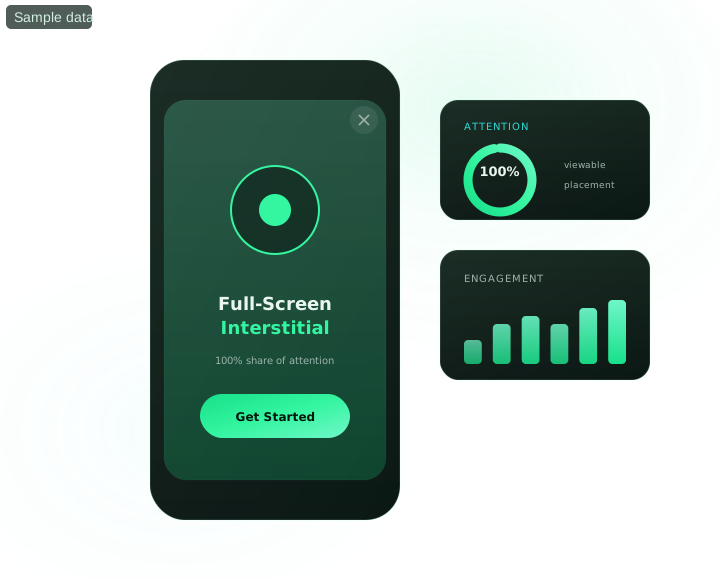
Buying interstitial ads: the decisions that protect your test
What should an advertiser decide before buying interstitial traffic?
Quick answer: Buy interstitial ads when a full-screen message suits the transition context, the creative can explain one offer quickly and the destination is ready for the same promise. In FroggyAds, separate the first campaign by the market, device or source question you need to answer; install conversion tracking or a server-to-server postback where applicable; and set a loss limit before delivery starts. Review impressions, clicks, landing arrivals and accepted business events together. A click is an interaction signal, not proof of intent, quality, sales or profit.
| Buyer decision | What to verify before the next campaign action |
|---|---|
| Transition and message fit | Name the page, screen or app-break context you want to reach, then use a creative that makes sense in that moment without relying on a surprise interaction. |
| Creative-to-destination continuity | Keep the offer, material conditions, visual cue and requested action consistent from the full-screen unit to the landing page. Test the route on every targeted device class. |
| Source-level evidence | Retain campaign, creative, source or zone, device and accepted-event data so you can pause, repeat or expand a specific traffic cell instead of judging a blended total. |
Advertising-disclosure reference: FTC guidance on online advertising and marketing. Apply the rules for the markets, claims and media you actually use.
- Plan: define the transition context, offer, destination and accepted event.
- Control: isolate a useful targeting or source question with a fixed spend cap.
- Decide: compare delivery and landing behavior with mature accepted outcomes.
What is interstitial advertising?
An interstitial is a full-screen advertising unit displayed between parts of a user experience rather than beside the primary content. For a media buyer, the format creates a large creative canvas, but that prominence comes with a stricter relevance test: the message must be quickly understandable, the next action must be clear and the landing page must continue the same offer. FroggyAds supports interstitial campaign buying through our self-serve workflow. Available controls can include geography, device, operating system, browser, carrier, category, source and zone, depending on the campaign. Confirm the live options in your account before building the test.
Why a full-screen format needs a disciplined plan
One message, not maximum claims
Use the space to make one proposition legible: what is offered, who it is for, which material condition applies and what the visitor should do next. Prominence cannot rescue an unclear or unsupported claim.
A transition the visitor can understand
The placement context should make the appearance of a full-screen unit comprehensible. When a click pattern looks accidental, investigate timing, controls, device behavior and landing arrivals before judging commercial intent.
Creative and destination as one route
Treat the image, video or HTML5 unit and its destination as a single experience. Preserve the offer language and visual cue after the click, and make required qualifications easy to notice rather than burying them.
Interstitial ad specifications to confirm before launch
Brief the campaign from the live setup, not a generic template. Confirm the accepted creative type, required dimensions or file limits, close-control behavior, device mix, auction option and targeting fields shown for your account. Then preview the creative and destination on the devices you intend to buy. The table beside this guidance describes current page-level capabilities, while the campaign interface remains the operational source for the exact submission requirements.
Target interstitial traffic around the offer
Start with the dimensions that affect eligibility or message fit. A country restriction, mobile-only flow or carrier-specific service may justify a separate cell; adding every available filter usually does not. Keep the initial structure readable enough that one person can explain why each cell exists, what it is allowed to spend and which evidence would earn a repeat test.
Geography and city
Select eligible countries and, where the campaign exposes it, narrower regional or city settings. Keep local language, price, availability and legal conditions aligned with the destination.
Device and operating system
Separate materially different mobile, desktop or tablet routes. Verify that the creative, close control, form and checkout work on the operating systems and versions you choose.
Browser
Use browser controls when compatibility or destination behavior creates a real reason to segment. Test redirects, consent and event firing in the targeted browser path.
Carrier and connection context
Apply carrier or connection options only when they are available and relevant to the offer. Do not infer purchasing power or intent from a connection label alone.
Content category
Choose categories that give the full-screen message a plausible context. Category is a planning signal, not a guarantee that every impression shares the same motivation.
Source and zone
Use available source and zone reporting to find repeatable traffic cells. Whitelist or blacklist only after checking route health, sample maturity and accepted outcomes; keep the reason with every decision.
Fund a bounded interstitial ad test
FroggyAds uses auction pricing, with CPM or CPC options where available for the campaign. The published USD 50 minimum deposit funds your advertising account; it is not a minimum bid, a recommended interstitial test budget or a promise of sufficient data. Set the campaign limit separately, and decide in advance how much you can spend while learning. SmartCPC can be evaluated when available as a bid-optimisation setting, but it does not guarantee cheaper acquisitions, conversions or profit. Refund eligibility is conditional and governed by the current policy, so verify it before funding.
Build your first interstitial ad campaign with FroggyAds
Create your free account, confirm the live interstitial requirements and fund from the USD 50 account minimum. Launch one offer with verified tracking, an explicit campaign cap and a scheduled review point. We recommend keeping the first setup narrow enough to explain before you expand it.
When is interstitial advertising a strong campaign fit?
Consider the format when a concise full-screen message can prepare the visitor for one clear destination action. App-oriented offers, games, streaming products, ecommerce and financial services may all present viable hypotheses, but the vertical label does not establish fit. Check the offer’s eligibility, the placement context, the creative rules and the destination on their own merits. Choose a different format when the message needs continuous page context, the full-screen moment would be confusing or the route cannot be measured responsibly.
Ten practical questions about buying interstitial ads
When do interstitial ads fit a user journey?
They fit when a full-screen message can appear around an understandable transition and send the visitor to a relevant next step. For campaign planning, identify the expected context and the action the creative requests. Avoid assuming that every available interstitial placement has the same timing or user expectation. Ask our team or inspect the live campaign options when context determines whether the offer is eligible.
Which targeting signals should I use for an interstitial campaign?
Use signals that change eligibility, creative fit or destination behavior. Geography, device, operating system, browser, carrier, category, source and zone may be available, but the exact mix depends on the campaign. Begin with a small number of defensible cells. Excessive layering can limit delivery and make a failed test difficult to diagnose without proving that the remaining audience has stronger intent.
How should a full-screen interstitial creative present its offer?
Give the visitor one readable proposition and one obvious action. State material conditions close to the claim they qualify, use a visual hierarchy that survives the targeted screen sizes and avoid controls that could be mistaken for interface elements. Image, video and HTML5 creative each require their own preview. Keep the destination’s first screen consistent with the ad so the visitor can recognise the route.
What should happen after an interstitial ad click?
The destination should load, retain the advertised offer and make the next action clear without forcing the visitor to reconstruct the promise. Test the complete redirect chain, consent behavior, form or checkout, and event recording on the targeted devices. Preserve campaign parameters through the route. If landing arrivals fall far below recorded clicks, investigate speed, redirects, accidental interaction and measurement before buying more traffic.
How should I set an interstitial ads test budget?
Choose an amount you can afford to spend while answering one question, then apply the campaign cap separately from the account deposit. Split markets, devices or source groups only when the split changes a real decision. Define a delivery check, a route-health check and a mature outcome review. Do not raise the limit merely because the initial cell spent quickly; first confirm that the downstream evidence is usable.
Which events should interstitial advertising track?
Keep impressions, clicks, landing arrivals and the accepted business event in the same campaign record. Include creative, device, market and the available source or zone identifier. Where appropriate, configure conversion tracking or a server-to-server postback and test it before launch. Use one documented attribution rule and preserve rejected, duplicate or reversed outcomes instead of silently treating every recorded event as accepted value.
How can I evaluate interstitial traffic quality?
Read several layers together: delivery pattern, click timing, landing arrival, on-page behavior and accepted outcomes. A high click-through rate can coexist with weak intent or accidental interaction; a low rate can still produce valuable outcomes. Review source and zone differences only after checking the common creative, destination and tracking path. Adscore-supported controls can inform delivery screening, but no control proves that every visit is valid or commercially useful.
Which user-experience guardrails matter for interstitial ads?
Use accurate creative, a clear next action and a functioning destination. Avoid misleading interface cues, hidden conditions and a route that prevents people from understanding what happens after the click. Industry guidance often recommends natural breaks because surprise timing can increase accidental interaction; that is useful planning context, not a promise about every inventory source. Follow the rules, consent duties and advertising law that apply to your campaign and market.
When should an interstitial source or zone be paused?
Pause a cell when its cap is reached, tracking or destination checks fail, delivery violates the campaign brief, or repeated mature results do not meet the accepted economics you set. Diagnose shared failures before excluding one source: if every zone loses events at the same redirect, repair the route. Record the source or zone, dates, spend, evidence and reconsideration condition so the decision can be audited later.
What evidence supports scaling interstitial ads?
Increase spend only after the exact cell has repeated accepted outcomes under verified tracking and the expected approval window. Recheck creative eligibility, destination health and inventory mix, then change one meaningful dimension—such as the cap, bid or supply group—at a time. Preserve the prior setup as a rollback reference. Scaling changes auction access and traffic mix, so earlier cost or conversion rates are not a guarantee of future results.
Compare interstitial ads with another FroggyAds format
A second format should answer a different journey question, not merely duplicate spend. Keep each format’s creative, campaign and accepted-event evidence separate before deciding whether the combination is useful.
Video ads
Use video when motion and sound-optional storytelling are central to the message. Confirm the specific placement, creative and destination rules before comparing it with a full-screen interstitial test.
Pop ads
Evaluate Pop as a separate full-page route with its own context, creative logic, pricing and source evidence. Do not merge Pop and interstitial results because both occupy substantial screen space.
Push ads
Use Push when an opt-in notification context better matches a concise alert or reminder. Measure the notification promise and landing response independently from interstitial delivery.
Launch a controlled interstitial campaign
Create a FroggyAds account, fund it from the USD 50 minimum deposit and build one measurable campaign. Set your own test limit, verify the applicable policy and treat any refund eligibility as conditional. We provide the self-serve controls; campaign results depend on the offer, creative, destination, auction and traffic you choose.
Run the interstitial test from one self-serve workflow
Build, target and monitor the campaign in the FroggyAds platform. Keep the bid, budget, market, device, creative and available source detail beside the conversion definition. Review pacing early enough to catch a setup error, but wait for the agreed maturity window before declaring a source commercially useful. Our platform helps you operate the purchase; it does not replace your destination testing, legal review or acceptance data.
- Set targeting, bid and campaign limits in one workflow
- Review available source and zone detail before exclusions
- Evaluate SmartCPC and Adscore-supported controls without guarantees
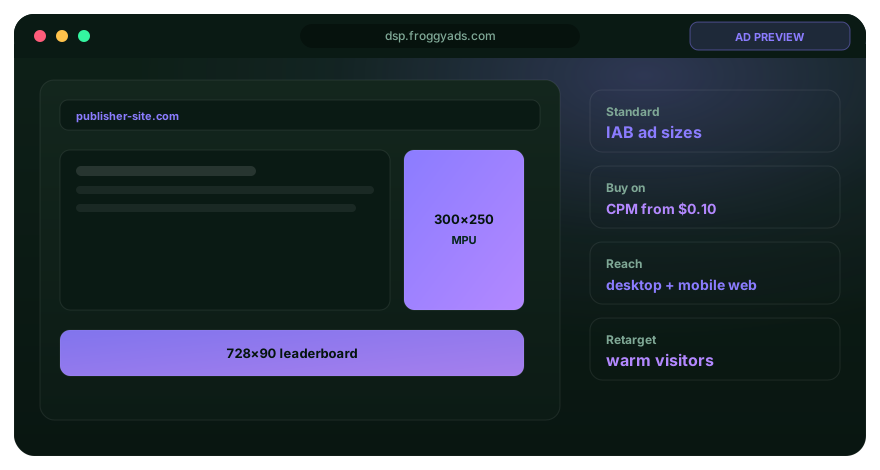
Interstitial ad planning guides
Use the examples, specifications, practice and cost guides to resolve one operational question at a time. The current account remains the authority for live submission fields and availability.
Interstitial advertising and network research
Compare planning methods by transition context, creative-to-destination fit, reporting depth, budget protection and accepted campaign economics. A list label such as best, cheap or premium does not substitute for a verified test.
Interstitial traffic and placement evaluation guides
Use these guides to compare placement context, source reporting, campaign economics and publisher-facing questions without treating a list label as proof of traffic quality.
Interstitial platform, cost and research guides
Continue with the guide that resolves your next buying question: platform controls, auction cost, format definition, creative research or a documented case-study method.
A practical interstitial ad campaign setup and decision record
This guide answers the advertiser’s interstitial buying decision: whether a full-screen transition format suits the offer, which FroggyAds controls create a readable test and what evidence justifies the next purchase. It does not rank every network, guarantee placement context or replace the separate guides for creative examples, exact sizes and budgeting. Keep those adjacent questions in their dedicated resources.
Start by writing the transition-to-destination brief. Name the expected context, targeted device, one creative promise, any material condition, the landing-page match and the accepted event. This makes the route reviewable before money enters the auction. If the offer cannot be explained on the unit and continued on the first destination screen, repair the brief or choose a format that gives the message more context.
Decision inputs for an interstitial ad test: campaign eligibility, market, device, creative type, transition context, destination behavior, attribution rule, source or zone detail, spend cap and accepted-event maturity. Mark assumptions as assumptions. The interface can show delivery data, but only your downstream system can establish whether an event meets the business definition.
Before launch: preview each supported creative, test the destination and redirects on targeted devices, verify the conversion or postback event, and record the live bid and budget settings. Capture the campaign version so later edits are visible. Do not assume a successful desktop route proves that mobile close controls, consent, forms or checkout behave the same way.
During delivery: inspect pacing, click-to-arrival continuity and obvious tracking failures without optimising around a few early events. Keep source and zone identifiers in their own FroggyAds namespace. If delivery is too broad to answer the original question, narrow the next test rather than inventing precision from a blended total.
At the decision point: compare mature accepted outcomes with the matching spend and record whether you will pause, repair, repeat or expand the cell. Separate invalid or accidental-looking interaction from an offer mismatch, slow page or broken event. The response should target the diagnosed failure, not punish every source that passed through the same faulty route.
| Campaign checkpoint | How to use it | Evidence to retain |
|---|---|---|
| Transition and route readiness | Confirm that the full-screen message, material conditions and destination form one understandable path on the devices and markets you intend to buy. | Creative version, destination URL, redirect result, device checks, eligibility note and conversion-test record. |
| Bounded delivery cell | Launch one interpretable market, device or source question with the bid, budget and review window written before meaningful spend begins. | Campaign ID, targeting, bid, cap, dates, creative ID, and available source or zone identifiers in the FroggyAds namespace. |
| Accepted-outcome decision | Wait for the agreed validation age, reconcile accepted value with matching media expense and change one spend dimension only when the evidence supports it. | Impressions, clicks, arrivals, recorded and accepted events, rejected or reversed outcomes, spend, decision and rollback condition. |
Transparent interstitial advertising cost example
Hypothetical calculation: Assume one controlled interstitial cell spends USD 180 and records 24 destination events. After the same validation window, nine meet the advertiser’s accepted-event definition. The media cost per accepted event is USD 20: USD 180 divided by nine. If three later reverse, the retained count becomes six and the media cost per retained event becomes USD 30. These invented figures show why click totals and early conversions are insufficient. They exclude other business costs, do not represent FroggyAds performance and do not guarantee sales or profit.
Why choose FroggyAds for an interstitial traffic test?
We give you a self-serve way to buy supported interstitial traffic, set campaign limits, apply relevant audience controls and use available source or zone detail in the next decision. Choose FroggyAds when you want to pair full-screen creative with a loss-limited test and an accountable measurement plan. Confirm the live settings, keep the destination honest and let accepted outcomes decide whether to purchase more. Create your free FroggyAds account.
What matters first when you buy interstitial ads?
Start with fit and evidence. Use a full-screen interstitial only when the transition context, one-message creative and destination route work together. In FroggyAds, isolate the campaign question, set the spend limit, verify tracking and retain source-level detail. Then decide from mature accepted outcomes rather than clicks alone. If that is the buying process you need, create your FroggyAds account and build the first controlled campaign.