


- Where Do I Find Ads Manager On Facebook?
- Step-by-Step Guide to Finding Ads Manager on Facebook
- Additional Tips for Using Ads Manager on Facebook
- The Power of Facebook Advertising
- Key Takeaways: Where Do I Find Ads Manager On Facebook
- FAQs for Where Do I Find Ads Manager On Facebook?
- 1. How do I access Ads Manager on Facebook?
- 2. Can I use Ads Manager on mobile devices?
- 3. What is the purpose of Ads Manager on Facebook?
- 4. How do I create an ad campaign using Ads Manager?
- 5. Can I target specific audiences with my ads using Ads Manager?
- 6. How can I track the performance of my ads in Ads Manager?
- 7. Can I make changes to my ads once they’re live?
- 8. How can I optimize my ads for better performance?
- 9. What types of ads can I create using Ads Manager?
- 10. How can I set a budget for my ad campaigns in Ads Manager?
- 11. Is it possible to run ads on Instagram through Ads Manager?
- 12. Can I collaborate with others on my ad campaigns using Ads Manager?
- 13. How can I pay for my ads in Ads Manager?
- 14. Can I schedule my ads to run at specific times using Ads Manager?
- 15. Where can I find additional support and resources for Ads Manager?
- Conclusion
Did you know that Facebook is one of the largest online advertising platforms in the world? Every day, millions of businesses and individuals utilize this platform to reach a wide audience and promote their products or services. One of the key tools that Facebook offers for effective advertising is the Ads Manager. If you are wondering where to findAds Manager on Facebook, look no further! This comprehensive guide will provide you with all the information you need.

Ads Manager is an essential component of Facebook’s advertising platform. It serves as a centralized hub that allows users to create, manage, and track their ad campaigns. Whether you are a small business owner, a marketing professional, or an individual looking to promote personal endeavors, Ads Manager is the go-to tool for all your advertising needs on Facebook.
To access Ads Manager, simply log into your Facebook account and navigate to the top-right corner of the homepage. There, you will find a dropdown menu labeled “Ads Manager.” Click on it, and you will be directed to the Ads Manager dashboard, where the magic happens.

The importance of Ads Manager cannot be overstated. According to recent statistics, Facebook had over 2.8 billion monthly active users as of the fourth quarter of 2020. This immense user base presents an unparalleled opportunity for advertisers to connect with potential customers. With Ads Manager, businesses can target specific demographics, geographical locations, interests, and behaviors, ensuring that their ads are seen by the right audience.
Moreover, Ads Manager provides a range of features that help advertisers make the most of their campaigns. This includes the ability to set campaign objectives, create ad sets targeting different audience segments, choose ad formats (such as images, videos, or carousels), set budgets and schedules, as well as track ad performance through comprehensive analytics. Additionally, Ads Manager allows for efficient optimization, enabling advertisers to adjust their strategies in real-time based on the performance metrics provided.

In conclusion, Ads Manager is an indispensable tool for anyone looking to advertise on Facebook. It provides users with an intuitive interface and a plethora of features that enable them to create and manage effective ad campaigns. By utilizing Ads Manager, businesses and individuals can leverage the enormous potential of Facebook’s vast user base to reach their advertising goals. So, what are you waiting for? Start exploring the power of Ads Manager today and unleash the full potential of your advertising campaigns!
Where Can I Find Ads Manager On Facebook?
Ads Manager is an essential tool provided by Facebook for individuals and businesses to create, manage, and track their advertising campaigns on the platform. In order to access and utilize this powerful feature, you might be wondering where exactly you can find it on Facebook. This article will guide you through the process of finding Ads Manager efficiently and effectively, helping you take full advantage of its capabilities to maximize your online advertising efforts.

Before we dive into the specifics of locating Ads Manager, let’s first understand what it entails. Ads Manager is a centralized platform within Facebook that allows advertisers to create and track their ad campaigns. It provides a comprehensive set of tools and features that enable you to define your target audience, set budget and schedule, select ad placements, and monitor key performance metrics. This intuitive interface consolidates all aspects of your advertising efforts, providing a seamless experience for businesses of all sizes.
So, now that we have an understanding of what Ads Manager is and its significance, let’s move on to finding it on Facebook.

| Item | Details |
|---|---|
| Topic | Where Do I Find Ads Manager On Facebook |
| Category | Ads |
| Key takeaway | Did you know that Facebook is one of the largest online advertising platforms in the world? Every day, millions of businesses and individuals utilize this platform to reach a wide |
| Last updated | November 30, 2025 |
Where Do I Find Ads Manager On Facebook?
As a business or marketer looking to promote your products or services on Facebook, Ads Manager is an essential tool to help you create, manage, and measure your advertising campaigns. Whether you’re a seasoned advertiser or just starting out, finding Ads Manager on Facebook is crucial to your advertising success. In this article, we will guide you through the process of finding Ads Manager on Facebook.
Step-by-Step Guide to Finding Ads Manager on Facebook
1. Log in to your Facebook account: Before you can access Ads Manager, you need to log in to your personal Facebook account. If you don’t have an account yet, you can easily create one by visiting the Facebook website and following the sign-up process.
2. Navigate to the Facebook Business Suite: Once you’re logged in to your Facebook account, you need to navigate to the Facebook Business Suite. The Business Suite is a centralized platform that allows you to manage your business presence on both Facebook and Instagram.
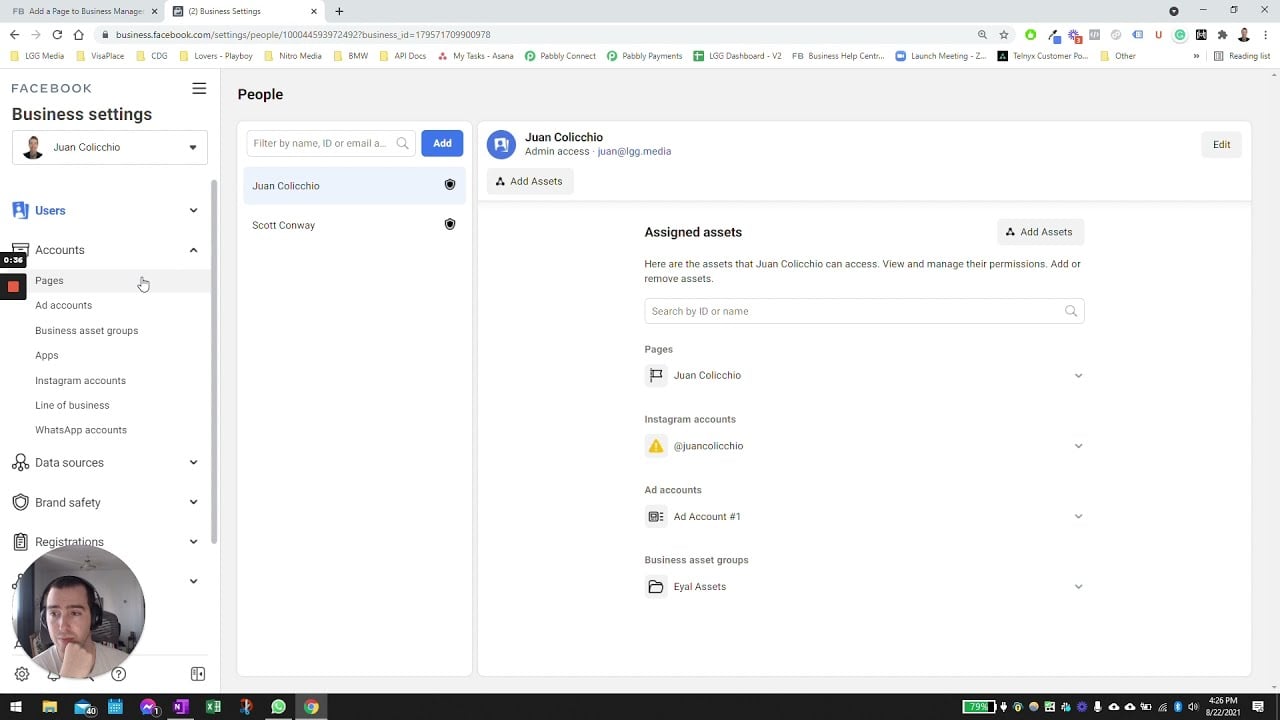
3. Access Ads Manager through Business Suite: Within the Facebook Business Suite, you will find a navigation bar on the left-hand side. Click on the “Business Tools” section, and then select “Ads Manager” from the dropdown menu.

4. Explore the Ads Manager dashboard: After clicking on Ads Manager, you will be directed to the Ads Manager dashboard. This is where you can create and manage your ad campaigns, view performance metrics, and make optimizations to improve your advertising results.
Additional Tips for Using Ads Manager on Facebook
Now that you know how to find Ads Manager on Facebook let’s explore some additional tips to make the most out of this powerful advertising tool:
1. Familiarize yourself with the different sections: Ads Manager is divided into several sections, including Campaigns, Ad Sets, and Ads. Take the time to explore each section and understand their functions. This knowledge will help you navigate the platform more efficiently.

2. Utilize the Audience Insights tool: Facebook provides a powerful audience insights tool within Ads Manager. This tool allows you to gather valuable information about your target audience, such as demographics, interests, and behaviors. Use this data to refine your targeting strategy and reach the right people with your ads.
3. Set clear objectives for your campaigns: Before creating an ad campaign, define your objectives. Whether it’s driving website traffic, increasing brand awareness, or generating leads, having specific goals will help you measure the success of your campaigns and make informed decisions.
4. Test different ad formats and creatives: Facebook offers various ad formats, such as image ads, video ads, carousel ads, and more. Experiment with different formats and creatives to see what resonates best with your target audience. Don’t be afraid to try out new ideas and iterate based on the performance data.

5. Monitor and optimize your campaigns regularly: Advertising on Facebook is an ongoing process. Keep a close eye on your campaign performance and make necessary adjustments to optimize your results. Test different audience segments, ad placements, and bidding strategies to find the winning combination for your business.
The Power of Facebook Advertising
Facebook advertising provides businesses and marketers with a powerful platform to reach billions of active users worldwide. According to recent statistics, the number of monthly active Facebook users exceeded 2.8 billion as of December 2020 (Statista, 2021). With such a massive user base, utilizing Ads Manager on Facebook can significantly impact your online advertising efforts.
By leveraging the targeting options, customization features, and robust analytics provided by Facebook Ads Manager, you have the potential to drive brand awareness, increase website traffic, boost conversions, and ultimately achieve your business objectives. So, get started with Ads Manager today and unlock the full potential of Facebook advertising!

Key Takeaways: Where Do I Find Ads Manager On Facebook
Here are the key takeaways from this article on finding the Ads Manager on Facebook:
- Accessing the Ads Manager on Facebook is crucial for managing your online advertising campaigns effectively.
- The Ads Manager is where you can create, monitor, and optimize your ad campaigns on Facebook and Instagram.
- You can find the Ads Manager in various ways, including via the Facebook Business Manager or directly through the Facebook website.
- One way to access Ads Manager is by clicking on the small downward arrow at the top right corner of any Facebook page and selecting “Ads Manager” from the dropdown menu.
- Alternatively, you can type “https://www.facebook.com/ads/manager/” directly into your browser’s address bar to go directly to the Ads Manager.
- If you are using the Facebook Business Manager, you can find the Ads Manager by logging into your Business Manager account and selecting “Ads Manager” from the Business Manager menu.
- Once you have accessed the Ads Manager, you will be able to navigate through different sections such as Campaigns, Ad Sets, and Ads to manage your advertising campaigns.
- It is essential to familiarize yourself with the different features and options available within the Ads Manager, such as targeting, budgeting, and ad creative, to effectively optimize your campaigns.
- The Ads Manager provides detailed performance insights and metrics to help you evaluate the success of your campaigns and make data-driven decisions.
- You can use the Ads Manager to track and measure key metrics such as reach, engagement, click-through rates, and return on ad spend (ROAS).
- Facebook offers various resources, including tutorials, guides, and support, to help you navigate and make the most of the Ads Manager.
- Regularly checking and optimizing your ad campaigns within the Ads Manager can help improve their performance and drive better results.
- Facebook’s Ads Manager is continuously evolving, so it is important to stay updated with any changes or enhancements to maximize your advertising efforts.
- Integrating Facebook’s pixel on your website can provide valuable data and insights for better targeting and retargeting within the Ads Manager.
- Experimenting with different targeting options, ad formats, and creative elements can help you find the most effective strategies for your advertising campaigns.
- Tracking your ad spend and monitoring your campaign’s return on investment (ROI) is crucial in order to optimize budgets and maximize your advertising budget.
By understanding how to find and navigate the Ads Manager on Facebook, you can efficiently manage your online advertising campaigns and drive better results for your business.
FAQs for Where Do I Find Ads Manager On Facebook?
1. How do I access Ads Manager on Facebook?
To access Ads Manager on Facebook, you can click on the V-shaped arrow in the top-right corner of your Facebook homepage and select “Manage Ads” from the drop-down menu. Alternatively, you can navigate to the Ads Manager directly by visiting https://www.facebook.com/ads/manager.
2. Can I use Ads Manager on mobile devices?
Absolutely! Facebook provides a mobile-friendly version of Ads Manager, which you can access through the Facebook mobile app. Simply open the app, tap the hamburger menu on the top-right corner, and scroll down to select “Ads Manager” from the menu.
3. What is the purpose of Ads Manager on Facebook?
Ads Manager is a powerful tool designed to help you create, manage, and analyze your advertising campaigns on Facebook. It allows you to create ad campaigns, set targeting options, monitor ad performance, and optimize your ad strategy to achieve your marketing goals.
4. How do I create an ad campaign using Ads Manager?
To create an ad campaign using Ads Manager, simply click on the “Create” button in the top-left corner of the Ads Manager interface. You’ll be guided through the process of selecting your campaign objective, defining your target audience, creating your ad creative, and setting your budget and schedule.
5. Can I target specific audiences with my ads using Ads Manager?
Absolutely! Ads Manager allows you to specify your target audience based on various criteria such as demographics, interests, behaviors, and connections. You can also create custom audiences by using your own customer data or engage with retargeting campaigns.
6. How can I track the performance of my ads in Ads Manager?
Ads Manager provides comprehensive insight into the performance of your ads. You can view metrics such as reach, engagement, conversions, and cost per result. Additionally, you can customize your reporting by selecting the desired metrics to monitor the success of your ad campaigns.
7. Can I make changes to my ads once they’re live?
Absolutely! Ads Manager allows you to make changes to your ads even after they’re live. You can modify your target audience, adjust your budget, edit your ad creative, or pause and resume your ads as needed.
8. How can I optimize my ads for better performance?
To optimize your ads for better performance, you can leverage the tools available in Ads Manager. You can perform split testing, where you create multiple versions of your ads and compare their performance to identify the most effective ones. You can also use the insights provided by Ads Manager to make data-driven optimizations.
9. What types of ads can I create using Ads Manager?
Ads Manager allows you to create various types of ads, including image ads, video ads, carousel ads, and slideshow ads. You can choose the ad format that best suits your campaign objectives and engages your target audience.
10. How can I set a budget for my ad campaigns in Ads Manager?
In Ads Manager, you can set a budget for your ad campaigns based on your advertising goals. You can choose between a daily budget or a lifetime budget. A daily budget specifies the maximum amount you’re willing to spend on a daily basis, while a lifetime budget sets the maximum amount you plan to spend over the entire duration of the campaign.
11. Is it possible to run ads on Instagram through Ads Manager?
Yes, it is possible to run ads on Instagram through Ads Manager. Facebook owns Instagram, and Ads Manager allows you to create, manage, and analyze your Instagram ad campaigns alongside your Facebook ad campaigns.
12. Can I collaborate with others on my ad campaigns using Ads Manager?
Absolutely! Ads Manager allows you to collaborate with others on your ad campaigns. You can grant different levels of access to team members, such as advertisers, analysts, or accountants, by using the “Manage Ad Account” feature within the Business Settings.
13. How can I pay for my ads in Ads Manager?
In Ads Manager, you can pay for your ads using various payment methods, including credit cards, debit cards, and direct debit. You can also set up automatic payments or manual payments based on your preferences.
14. Can I schedule my ads to run at specific times using Ads Manager?
Yes, you can schedule your ads to run at specific times using Ads Manager. In the ad campaign creation process, you can set start and end dates for your campaigns and even specify a particular schedule within those dates to target your audience effectively.
15. Where can I find additional support and resources for Ads Manager?
If you need further support or resources for Ads Manager, you can visit the Facebook Ads Help Center at https://www.facebook.com/business/help. The Help Center provides comprehensive guides, tutorials, and troubleshooting steps to assist you in using Ads Manager effectively.
Conclusion
In conclusion, finding the Ads Manager on Facebook is crucial for anyone looking to advertise their products or services on the platform. It is a powerful tool that allows users to create, manage, and analyze their ad campaigns. Throughout this article, we have discussed various ways to access the Ads Manager and highlighted the important features it offers.
Firstly, we explored the basic method of accessing the Ads Manager by using the drop-down menu in the top-right corner of Facebook. By clicking on the arrow icon, users can easily navigate to the Ads Manager and start creating their advertisements. Additionally, we discussed how to access the Ads Manager through the Business Manager tool, which is ideal for businesses managing multiple ad accounts or collaborating with teams.
Furthermore, we delved into the key features and functionalities of the Ads Manager. From creating campaigns to defining target audiences, the Ads Manager offers a range of options for advertisers to optimize their ads. We learned about the importance of setting campaign objectives and how to choose the most suitable ones for specific business goals.
Additionally, we discussed the significance of audience targeting in advertising. The Ads Manager provides advanced targeting options based on demographics, interests, behavior, and more. It allows advertisers to reach their desired audience with precision and maximize the effectiveness of their ads.
Moreover, we explored the concept of ad formats and placements. The Ads Manager offers a variety of formats, including images, videos, and carousel ads, allowing advertisers to choose the most engaging and visually appealing option for their audience. We also learned about different ad placements, such as the news feed, Instagram, and Audience Network, and how they can impact the reach and visibility of ads.
Furthermore, we highlighted the importance of tracking and analyzing ad performance through the Ads Manager. The tool provides detailed insights and metrics, allowing advertisers to measure the success of their campaigns, identify areas for improvement, and make data-driven decisions. We learned about the different types of reports available and how to interpret the data to optimize future advertising efforts.
In conclusion, the Ads Manager on Facebook is a vital tool for online advertisers. It offers a user-friendly interface, robust features, and powerful insights to help businesses reach their target audience and achieve their advertising goals. Whether you are a small business owner or a marketing professional, mastering the Ads Manager can greatly enhance your advertising campaigns and drive better results. So, dive into the world of Facebook advertising and leverage the power of the Ads Manager to take your business to new heights.