


- Key Takeaways
- FAQs about Facebook Ads Manager
- 1. What is Facebook Ads Manager?
- 2. How do I access Facebook Ads Manager?
- 3. Can I use Facebook Ads Manager for Instagram ads?
- 4. What targeting options are available in Facebook Ads Manager?
- 5. How can I track the performance of my ads in Facebook Ads Manager?
- 6. Can I set a budget for my Facebook ad campaigns?
- 7. How can I create compelling ad creatives in Facebook Ads Manager?
- 8. Can I run A/B tests in Facebook Ads Manager?
- 9. Can I schedule my ads to run at specific times in Facebook Ads Manager?
- 10. Can I edit or pause my ads in Facebook Ads Manager?
- 11. How can I optimize my ad campaigns in Facebook Ads Manager?
- 12. Can I use Facebook Ads Manager for e-commerce advertising?
- 13. Is there a minimum budget requirement for using Facebook Ads Manager?
- 14. Is Facebook Ads Manager suitable for beginners?
- 15. Can I get help with Facebook Ads Manager?
- Conclusion
Facebook Ads Manager Explained is a powerful platform that revolutionized the world of online advertising. It provides businesses with an easy and efficient way to create, manage, and track their advertisingcampaigns on the biggest social media network in the world – Facebook. With over 2.8 billion monthly active users, Facebook offers a huge potential audience for businesses to reach and engage with. But it can be a daunting task to navigate the complex world of online advertising. That’s where Facebook Ads Manager comes in.

Facebook Ads Manager is a centralized tool that allows businesses to create and manage their advertising campaigns on Facebook and its affiliated platforms, including Instagram and Messenger. It provides a user-friendly interface that allows advertisers to easily set up their ads, select their target audience, and define their budget. The platform also offers advanced targeting options, such as demographic filtering, interest-based targeting, and custom audience creation, to help advertisers reach the right people with their ads.
One of the key advantages of Facebook Ads Manager is its ability to track and measure the performance of advertising campaigns. It provides detailed analytics and insights that allow advertisers to monitor the effectiveness of their ads and make data-driven decisions to optimize their campaigns for better results. From click-through rates to conversion rates, Facebook Ads Manager provides a wealth of data that can help businesses understand their audience better and improve the return on their advertising investment.

In addition to its robust features, Facebook Ads Manager also offers a variety of tools and resources to help advertisers succeed. It provides access to a wide range of ad formats, including image ads, video ads, carousel ads, and more, to suit different advertising goals and creative needs. Furthermore, Facebook Ads Manager offers A/B testing capabilities, allowing advertisers to test different variations of their ads to find the best-performing combination.
Statistics show that Facebook Ads Manager is a popular choice among advertisers. In fact, Facebook’s advertising revenue reached a staggering $84.1 billion in 2020, a testament to the platform’s effectiveness in driving results for businesses. Furthermore, studies have shown that Facebook ads can generate an average click-through rate of 0.90%, which is significantly higher than the industry average for display ads.

In conclusion, Facebook Ads Manager Explained is an indispensable tool for businesses looking to leverage the power of online advertising. With its user-friendly interface, advanced targeting options, and robust analytics, it empowers advertisers to create, manage, and optimize their advertising campaigns on Facebook and its affiliated platforms. As the world of online advertising continues to evolve, Facebook Ads Manager remains at the forefront, providing businesses with the tools and resources they need to succeed in the digital marketing landscape.
| Item | Details |
|---|---|
| Topic | Facebook Ads Manager Explained |
| Category | Ads |
| Key takeaway | Facebook Ads Manager Explained is a powerful platform that revolutionized the world of online advertising. |
| Last updated | January 17, 2026 |
Key Takeaways
1. Facebook Ads Manager is a powerful tool that allows businesses to create and manage their advertising campaigns on the Facebook platform.

2. With Facebook Ads Manager, advertisers can target their ads to specific audiences based on demographics, interests, behaviors, and more.
3. The Ads Manager interface is user-friendly and intuitive, making it easy for even beginners to create and optimize effective campaigns.

4. Facebook’s robust targeting options provide advertisers with the ability to reach their ideal customers and maximize the success of their campaigns.
5. The Ads Manager provides in-depth analytics and reporting, allowing advertisers to track their campaign performance and make data-driven decisions.
6. The Ads Manager offers a variety of ad formats, including image ads, video ads, carousel ads, and more, giving advertisers the flexibility to choose the format that best suits their goals.
7. Facebook’s Audience Network integration allows advertisers to extend their reach beyond Facebook and display their ads on partner websites and mobile apps.

8. The Ads Manager also includes a feature called Custom Audiences, which enables advertisers to target specific groups of people based on their contact information or website activity.
9. Facebook’s Lookalike Audiences feature allows advertisers to reach new customers who are similar to their existing customer base, helping to expand their reach and increase conversions.
10. The Ads Manager includes a powerful budgeting and bidding system that allows advertisers to set their desired spending limits and optimize their ad delivery for maximum results.

11. Facebook’s automatic ad placement feature ensures that ads are displayed in the most effective positions across Facebook, Instagram, Audience Network, and Messenger.
12. The Ads Manager provides tools for A/B testing, allowing advertisers to experiment with different ad variations and optimize their campaigns based on performance.
13. Facebook’s retargeting capabilities within the Ads Manager enable advertisers to reach users who have previously interacted with their brand or visited their website, increasing the chances of conversions.

14. The Ads Manager’s built-in ad creation tools, including a user-friendly design interface and access to a vast library of stock images, make it easy for advertisers to create visually appealing ads.
15. Facebook Ads Manager’s integration with Facebook Pixel allows advertisers to track customer actions on their website and generate insights to improve ad targeting and optimize conversions.
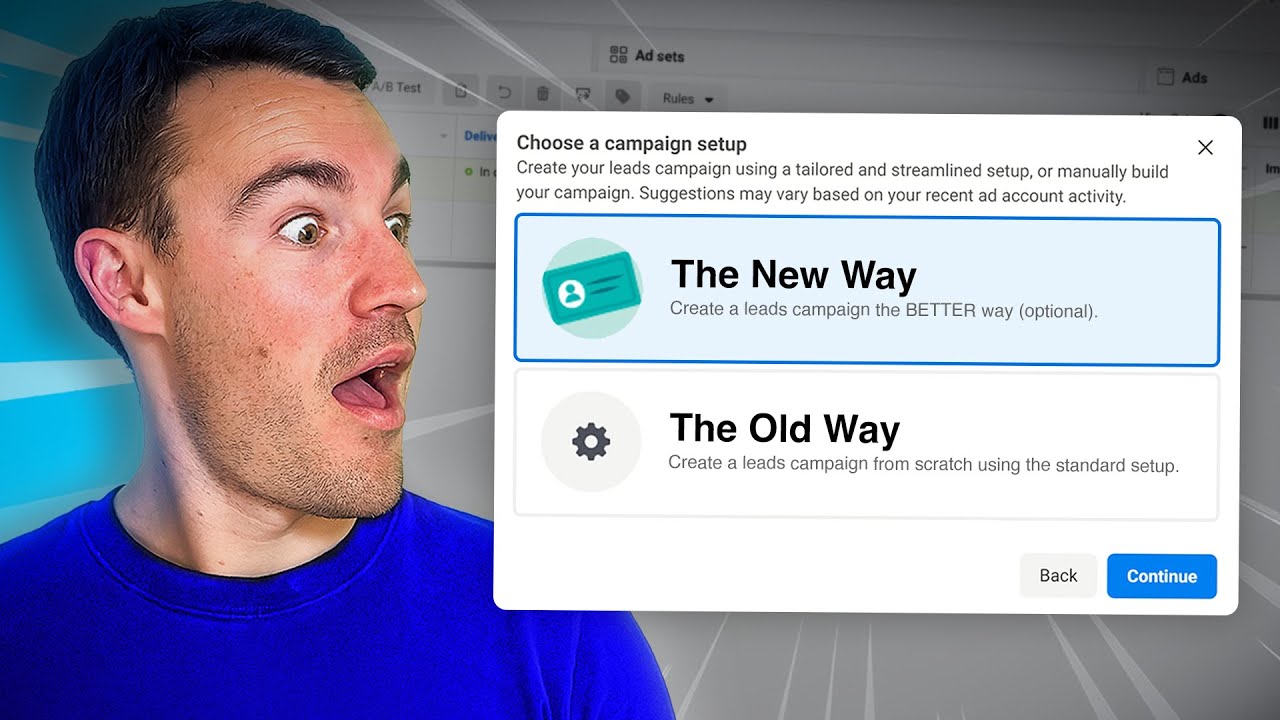

FAQs about Facebook Ads Manager
1. What is Facebook Ads Manager?
Facebook Ads Manager is a powerful tool that allows advertisers to create and manage their Facebook ad campaigns. It provides a comprehensive platform for creating ad campaigns, targeting specific audiences, setting budget and schedule, and measuring the performance of ads.
2. How do I access Facebook Ads Manager?
To access Facebook Ads Manager, simply log in to your Facebook account and click on the “Ads Manager” tab from the menu on the left-hand side of the screen. You can also go directly to the website at adsmanager.facebook.com.
3. Can I use Facebook Ads Manager for Instagram ads?
Yes, Facebook Ads Manager allows you to create and manage ads for both Facebook and Instagram. You can choose to run your ads on either platform or across both platforms simultaneously.
4. What targeting options are available in Facebook Ads Manager?
Facebook Ads Manager offers a wide range of targeting options to help you reach your ideal audience. You can target users based on demographics like age, gender, location, and interests. You can also create custom audiences based on your own customer data or retarget users who have interacted with your website or app.
5. How can I track the performance of my ads in Facebook Ads Manager?
Facebook Ads Manager provides detailed insights and analytics to track the performance of your ads. You can view metrics like impressions, clicks, click-through rate, conversion rate, and cost per result. You can also create custom reports and set up tracking pixels to measure the effectiveness of your campaigns.
6. Can I set a budget for my Facebook ad campaigns?
Yes, Facebook Ads Manager allows you to set a budget for your ad campaigns. You can choose to set a daily or lifetime budget, depending on your advertising goals. You can also define the bidding strategy and optimize your campaigns for specific results.
7. How can I create compelling ad creatives in Facebook Ads Manager?
Facebook Ads Manager provides a variety of tools and features to create visually appealing ad creatives. You can upload images or videos, write compelling ad copy, and add call-to-action buttons to encourage user engagement. You can also use the ad preview tool to see how your ads will look before they go live.
8. Can I run A/B tests in Facebook Ads Manager?
Yes, Facebook Ads Manager allows you to run A/B tests to optimize your ad campaigns. You can create multiple ad sets or ads with different variations and test them against each other to see which performs better. This can help you identify the most effective strategies for reaching your target audience.
9. Can I schedule my ads to run at specific times in Facebook Ads Manager?
Yes, Facebook Ads Manager allows you to schedule your ads to run at specific times. You can choose to run your ads continuously or set a custom schedule based on the days and times when your target audience is most likely to be active on Facebook or Instagram.
10. Can I edit or pause my ads in Facebook Ads Manager?
Yes, Facebook Ads Manager gives you full control over your ad campaigns. You can edit your ads at any time to make changes to the creative, targeting, budget, or schedule. You can also pause or delete ads that are not performing well or that you no longer wish to run.
11. How can I optimize my ad campaigns in Facebook Ads Manager?
To optimize your ad campaigns in Facebook Ads Manager, you can use the insights and analytics provided to identify areas for improvement. You can test different targeting options, ad creatives, and bidding strategies to see what works best for your target audience. It’s also important to regularly monitor your campaigns and make adjustments as needed to maximize your ROI.
12. Can I use Facebook Ads Manager for e-commerce advertising?
Yes, Facebook Ads Manager is a popular choice for e-commerce advertising. You can create dynamic ads that showcase your products, target users based on their past purchase behavior or interests, and track the performance of your campaigns to measure the ROI on your ad spend.
13. Is there a minimum budget requirement for using Facebook Ads Manager?
No, there is no minimum budget requirement for using Facebook Ads Manager. You can set your budget based on your own advertising goals and financial resources. Facebook Ads Manager provides flexibility for both small businesses and large enterprises to advertise within their budget.
14. Is Facebook Ads Manager suitable for beginners?
Yes, Facebook Ads Manager is designed to be user-friendly, even for beginners. The interface is intuitive and provides step-by-step guidance for setting up and managing your ad campaigns. There are also numerous resources, tutorials, and support options available to help you navigate the platform and achieve your advertising goals.
15. Can I get help with Facebook Ads Manager?
Yes, Facebook provides various support options to help you with Facebook Ads Manager. You can access the Facebook Ads Help Center for comprehensive guides and troubleshooting tips. You can also reach out to Facebook’s support team through their online chat or submit a support ticket for more personalized assistance.
Conclusion
In conclusion, Facebook Ads Manager is an essential tool for online advertising and digital marketing. It provides a comprehensive and user-friendly platform for businesses to create, manage, and optimize their ad campaigns on Facebook. Through the Ads Manager, advertisers can target specific audiences, set budgets and bids, and track the performance of their ads in real-time.
One of the key features of Facebook Ads Manager is its powerful targeting capabilities. Advertisers can create highly targeted campaigns by leveraging the vast amount of user data that Facebook has available. They can target users based on their demographic information, interests, behaviors, and even their past interactions with the brand. This level of precision allows advertisers to reach the right audience with the right message, maximizing the chances of conversion and ROI.
Another important aspect of Ads Manager is its robust campaign management tools. Advertisers can easily create and launch multiple ad sets and ad campaigns, controlling every aspect of their advertising strategy. They can set daily or lifetime budgets, choose between different bidding strategies, and schedule their ads to run at specific times. This flexibility and control ensure that advertisers can optimize their spending and maximize the effectiveness of their campaigns.
Furthermore, the Ads Manager offers powerful analytics and reporting features. Advertisers can track the performance of their ads in real-time, monitoring key metrics such as reach, impressions, clicks, and conversions. This data allows them to make data-driven decisions, identifying what works and what doesn’t and adjusting their campaigns accordingly. The platform also provides advanced targeting and optimization options, such as lookalike audiences and A/B testing, enabling advertisers to further refine their targeting and improve campaign performance.
In addition to its targeting and campaign management capabilities, Facebook Ads Manager also offers a range of ad formats and placement options. Advertisers can choose between image ads, video ads, carousel ads, and more, tailoring their creative to fit their marketing goals. They can also select where their ads appear, whether it’s in the Facebook News Feed, Instagram, or the Audience Network, reaching users across various platforms and devices.
Overall, Facebook Ads Manager is a powerful and essential tool for any business looking to leverage the potential of Facebook advertising. Its robust features, targeting capabilities, and campaign management tools make it an ideal platform for online advertising and digital marketing. By utilizing the Ads Manager effectively, businesses can drive targeted traffic, increase brand awareness, and achieve their marketing objectives. Facebook Ads Manager is a must-have for any business in today’s digital landscape.