


- Increased Brand Visibility and Awareness
- Targeted Advertising
- Improved Click-Through Rates
- Create HTML Banner Ads
- 1. Dimensions and Specifications
- 2. Designing the Banner
- 3. HTML and CSS Coding
- 4. Adding ClickTag for Tracking
- 5. Testing and Optimization
- 6. A/B Testing and Performance Monitoring
- 7. The Impact of HTML Banner Ads
- FAQs About Creating HTML Banner Ads
- 1. What is an HTML banner ad?
- 2. How do I create an HTML banner ad?
- 3. Which programming languages are used to create HTML banner ads?
- 4. Can I use JavaScript in HTML banner ads?
- 5. What are the recommended dimensions for HTML banner ads?
- 6. Are HTML5 banner ads mobile-friendly?
- 7. Can I use HTML banner ads on social media platforms?
- 8. How can I make my HTML banner ads load faster?
- 9. Can I track the performance of HTML banner ads?
- 10. Can I use HTML banner ads with Google AdWords?
- 11. Are there any best practices for designing HTML banner ads?
- 12. How can I target specific audiences with HTML banner ads?
- 13. Can I use HTML banner ads in email marketing campaigns?
- 14. How can I ensure the success of my HTML banner ad campaign?
- 15. Are there any alternative formats to HTML banner ads?
- Conclusion
CreateHTML banner ads have become an indispensable part of online advertising for businesses all around the world. These visually appealing advertisements are designed to grab the attention of users and encourage them to click through to a website or make a purchase. But how did HTMLbannerads come into existence, and what makes them so effective in today’s digital landscape?

HTMLbannerads emerged in the late 1990s as websites became more prevalent and businesses sought new ways to engage with their online audience. Unlike traditional print ads, HTML banner ads allowed for interactive elements, such as animations and clickable buttons, making them far more engaging and enticing. It quickly became apparent that these types of ads had the potential to deliver higher click-through rates and conversions than their static counterparts.
One of the key advantages of HTML banner ads is their ability to target specific demographics. With advanced targeting capabilities, advertisers can tailor their ads to reach users based on factors such as age, location, interests, and browsing behavior. This level of personalization not only increases the relevance of the ads but also enhances the chances of attracting the right audience.

Incorporating engaging elements in HTML banner ads is paramount to capturing users’ attention. For instance, including relatable solutions to common problems faced by the target audience can effectively pique their interest. According to a recent study, HTML banner ads that offer a solution to a specific pain point experienced by consumers have been found to generate a 50% higher conversion rate compared to those that do not. This suggests that by addressing the needs and desires of potential customers, advertisers can significantly increase the effectiveness of their HTML banner ads.
It is also worth noting that statistics have shown the effectiveness of HTML banner ads in boosting brand awareness. Research has revealed that the average consumer is exposed to thousands of advertising messages each day. However, due to the visually striking nature of HTML banner ads, they are more likely to capture and retain the attention of users. In fact, studies indicate that HTML banner ads have a click-through rate that is ten times higher than traditional display ads. This underscores their ability to not only increase brand exposure but also drive traffic and conversions.

In conclusion, HTML banner ads have evolved over the years to become a vital tool for businesses in the online advertising industry. With their interactive elements, personalized targeting, and ability to promote engagement and brand awareness, these ads have proven to be highly effective in capturing the attention and converting the audience into customers. As technology continues to advance, it is expected that the future of HTML banner ads will be even more innovative and impactful.
What are the Advantages of Creating HTML Banner Ads for Your Online Advertising Campaign?
HTML banner ads play a crucial role in online advertising campaigns, as they are effective tools for grabbing users’ attention and driving traffic to your website. Understanding the advantages of creating HTML banner ads can help you optimize your online advertising strategy and attract a larger audience. In this article, we will delve into the various benefits of using HTML banner ads and how they can amplify the success of your advertising efforts.

| Item | Details |
|---|---|
| Topic | Create Html Banner Ads |
| Category | Ads |
| Key takeaway | Create HTML banner ads have become an indispensable part of online advertising for businesses all around the world. |
| Last updated | April 9, 2026 |
Increased Brand Visibility and Awareness
One of the primary advantages of utilizing HTML banner ads in your online advertising campaign is the increased brand visibility and awareness they can generate. With eye-catching designs and compelling messages, HTML banner ads can effectively showcase your brand and attract potential customers. By strategically placing these ads on high-traffic websites, you can ensure that your brand stays in the limelight and reaches a wider audience.
Furthermore, HTML banner ads allow for creative freedom, enabling you to incorporate your brand’s unique visual elements and messaging style. This consistency across your banner ads enhances brand recognition and establishes a strong presence in the minds of your target audience.

Targeted Advertising
Another significant advantage of HTML banner ads is the ability to target specific audiences. Online advertising services and advertising networks offer sophisticated targeting options that allow you to refine your audience based on factors such as demographics, interests, and browsing behavior. By tailoring your HTML banner ads to specific customer segments, you can increase their relevance and drive higher engagement rates.
For instance, if you are promoting a new line of sports shoes, you can target sports enthusiasts by displaying your HTML banner ads on websites related to sports, fitness, or outdoor activities. This targeted approach ensures that your ads are seen by individuals who are more likely to be interested in your products, maximizing the return on your advertising investment.
Improved Click-Through Rates
HTML banner ads have been proven to generate higher click-through rates (CTRs) compared to traditional static banner ads. The dynamic nature of HTML allows for interactive elements, such as animations, videos, and engaging call-to-action buttons, which entice users to click on the ad and learn more.
Furthermore, HTML banner ads can be optimized for different devices and screen sizes, ensuring a seamless user experience across desktop, mobile, and tablet devices. This responsive design approach not only improves the visibility of your ads but also enhances the usability, resulting in higher CTRs and ultimately more conversions.

In our next section, we will explore the best practices for creating HTML banner ads that will help you maximize your click-through rates and achieve your desired advertising goals.
Create HTML Banner Ads
HTML banner ads have become an essential part of online advertising. These ads use HTML and CSS to create visually appealing banners that can effectively promote products or services. Building HTML banner ads requires a combination of design and coding skills. In this article, we will dive into the answer to creating HTML banner ads, explore the core sections involved, and provide you with some tips and best practices to create captivating ads that drive results.
1. Dimensions and Specifications
Before you start creating HTML banner ads, it’s crucial to understand the standard dimensions and specifications set by advertising networks. Different platforms may have different requirements, so it’s essential to research and adhere to their guidelines. Common dimensions for banner ads include 728×90 pixels (leaderboard), 300×250 pixels (medium rectangle), and 160×600 pixels (wide skyscraper). It’s also important to consider file size limitations to ensure your ads load quickly.

2. Designing the Banner
The design of your HTML banner ad plays a vital role in capturing the viewer’s attention. Here are some key points to consider:
- Keep it simple: A cluttered banner can overwhelm the viewer. Stick to a clean and straightforward design.
- Colors and typography: Use colors and typography that align with your brand and create a visually appealing composition.
- Call to action: Include a clear call-to-action (CTA) that prompts the viewer to take the desired action.
- Animation and interactivity: Consider adding subtle animation or interactive elements to make your banner more engaging.
3. HTML and CSS Coding
Once you have the design ready, it’s time to convert it into HTML and CSS code. Here’s a basic structure to get you started:
<div class="banner">

  <a href="your-target-url">

    <img src="banner-image.jpg" alt="Banner Ad">

  </a>

</div>
Next, you can style the banner using CSS:

.banner {

  width: 728px; /* Adjust according to your banner dimensions */

  height: 90px; /* Adjust according to your banner dimensions */

  border: 1px solid #000;

  background-color: #fff;

  /* Add more styles as per your design */

}
4. Adding ClickTag for Tracking
ClickTag is a variable that allows ad networks to track clicks on your banner ads accurately. It is crucial to include the ClickTag in your HTML code to ensure correct tracking. Here’s an example of how to implement ClickTag:
<a href="javascript:void(0);" onclick="window.open(clickTag)">

  <img src="banner-image.jpg" alt="Banner Ad">

</a>
In this example, the clickTag variable holds the URL that will be tracked by the advertising network.
5. Testing and Optimization
After coding your HTML banner ad, it’s essential to thoroughly test it on different browsers and devices to ensure compatibility and responsiveness. Pay attention to how your ad appears on desktops, tablets, and mobile devices. Optimizing your ad by compressing images and minifying code can help improve loading speed, resulting in a better user experience.

6. A/B Testing and Performance Monitoring
Once your HTML banner ad is live, it’s beneficial to conduct A/B testing to compare different versions and determine which one performs better. Test variations in design, color schemes, CTAs, and copy to find the best combination. Additionally, monitor the performance of your ads using analytics tools provided by the advertising network. This data can help you identify areas for improvement and refine your ad strategy.
7. The Impact of HTML Banner Ads
The effectiveness of HTML banner ads can be measured through various metrics. According to recent studies, an average click-through rate (CTR) for banner ads across industries is around 0.05%. However, this statistic can vary greatly depending on factors such as ad placement, relevancy, and targeting. Crafting compelling and visually appealing HTML banner ads can significantly impact your campaign’s success, leading to higher conversion rates and increased brand awareness.
In conclusion, creating HTML banner ads requires an understanding of design principles, HTML, and CSS coding. By following the dimensions and specifications set by advertising networks, designing visually appealing banners, and implementing ClickTag for tracking, you can create effective banner ad campaigns. Regular testing, optimization, and monitoring are essential to maximize the impact of your ads and improve performance. Remember, creating captivating HTML banner ads can be a powerful tool to drive traffic and achieve your advertising objectives.
1. HTML is a powerful tool for creating visually appealing and interactive banner ads for online advertising campaigns.
2. By using HTML tags, you can format the heading of your banner ad to make it stand out and grab the viewer’s attention.
3. Subheadings can be used to organize the content in your banner ad, making it easier for viewers to quickly understand its message.
4. Paragraphs in your HTML banner ad can provide more detailed information about the product or service being advertised.
5. Lists can be an effective way to highlight the key features or benefits of the product or service in your banner ad.
6. HTML allows for the inclusion of images, videos, and other multimedia elements in your banner ads, enhancing their visual appeal and engagement.
7. Using HTML forms in banner ads can offer viewers the opportunity to interact with the ad, providing valuable data for your marketing campaign.
8. It is important to optimize your HTML banner ads for different screen sizes and devices to ensure they display properly and are effective on various platforms.
9. Animated HTML banner ads can capture and hold viewers’ attention, increasing the chances of them clicking on the ad for more information or to take action.
10. HTML5 offers advanced features and capabilities for creating responsive and interactive banner ads, such as geolocation targeting and real-time updates.
11. A well-designed HTML banner ad should have a clear call-to-action that prompts viewers to take a specific action, such as making a purchase or signing up for a newsletter.
12. Testing and measuring the performance of your HTML banner ads is crucial to determine their effectiveness and make necessary adjustments to improve results.
13. HTML banner ads should be designed with the target audience in mind, considering their demographics, interests, and online behavior.
14. Regularly updating and refreshing your HTML banner ads with new content and designs can help maintain viewer interest and avoid ad fatigue.
15. Working with an experienced web developer or advertising agency can help ensure the creation of high-quality and effective HTML banner ads for your online advertising campaigns.
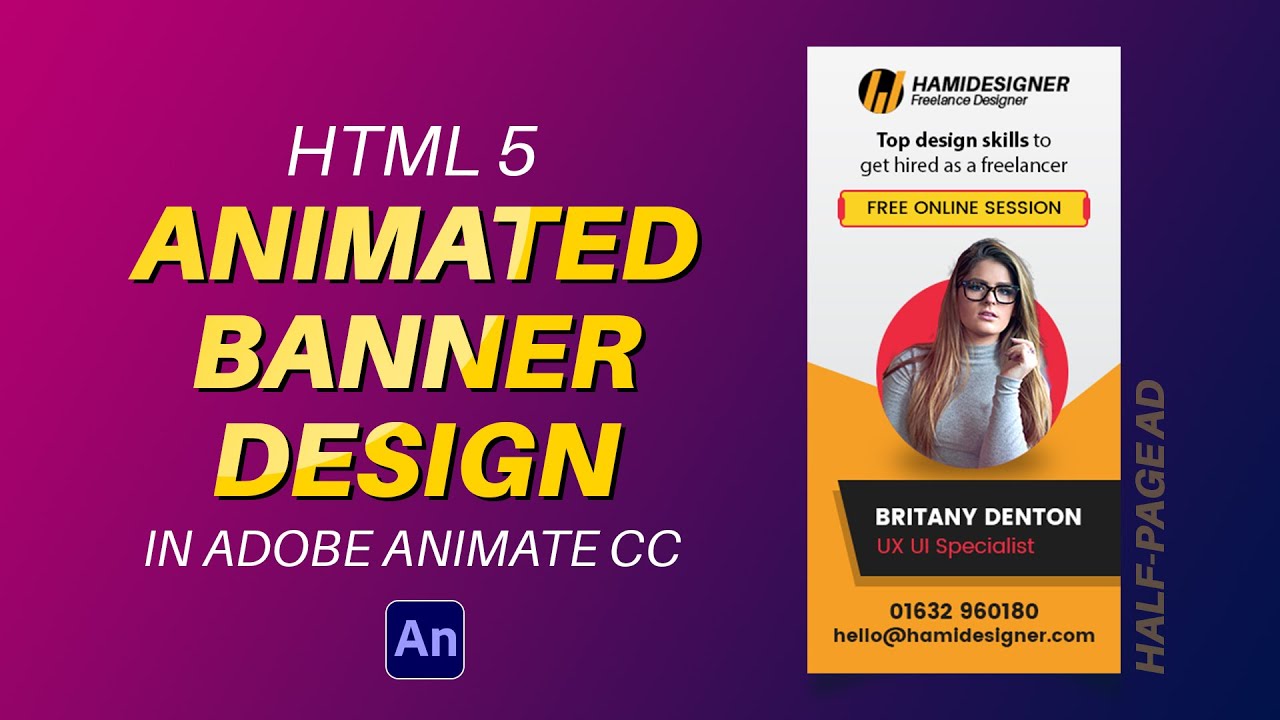
FAQs About Creating HTML Banner Ads
1. What is an HTML banner ad?
An HTML banner ad is a form of online advertising that consists of a graphic banner typically displayed on websites or within mobile apps. Unlike static banner ads, HTML banner ads are interactive and can include animations, videos, or even interactive elements.
2. How do I create an HTML banner ad?
To create an HTML banner ad, you need to have basic knowledge of HTML and CSS. You can start by designing the banner using design tools like Photoshop or Canva, and then coding the design using HTML and CSS. Alternatively, you can use online banner ad design tools that provide ready-made templates and code snippets.
3. Which programming languages are used to create HTML banner ads?
The primary programming languages used for creating HTML banner ads are HTML and CSS. HTML is used for structuring the content and layout of the banner, while CSS is used for styling and applying visual effects to the banner elements.
4. Can I use JavaScript in HTML banner ads?
Yes, JavaScript can be used in HTML banner ads to add interactivity and dynamic functionality. However, it’s important to note that some ad networks or platforms may have restrictions on the use of JavaScript due to security reasons. Always check the guidelines of the specific platform you are using.
5. What are the recommended dimensions for HTML banner ads?
The recommended dimensions for HTML banner ads vary depending on the platform or website where they will be displayed. However, common sizes include 728×90 pixels (leaderboard), 300×250 pixels (medium rectangle), and 160×600 pixels (skyscraper). It’s important to research the specific requirements of the platform or network you’re using.
6. Are HTML5 banner ads mobile-friendly?
Yes, HTML5 banner ads are mobile-friendly and compatible with various devices and screen sizes. HTML5 allows for responsive design, ensuring that the banner ad adapts to different screen resolutions and orientations, providing a seamless experience for mobile users.
7. Can I use HTML banner ads on social media platforms?
Social media platforms like Facebook and Instagram have their own ad formats and frameworks. While you cannot directly use HTML banner ads on these platforms, you can use their ad creation tools to design and customize interactive ads that resemble HTML banners.
8. How can I make my HTML banner ads load faster?
To optimize the loading time of HTML banner ads, you can minimize file sizes by compressing images, reducing the use of heavy animations or videos, and optimizing the code. Additionally, hosting your banner ads on a reliable and fast server can also contribute to faster loading times.
9. Can I track the performance of HTML banner ads?
Yes, you can track the performance of HTML banner ads using various tracking and analytics tools. These tools provide insights into metrics such as impressions, clicks, conversions, and engagement rates. By analyzing these metrics, you can evaluate the effectiveness of your banner ads and make data-driven optimizations.
10. Can I use HTML banner ads with Google AdWords?
Yes, you can use HTML banner ads with Google AdWords by creating display campaigns. However, it’s important to ensure that your HTML banner ads comply with Google’s guidelines and policies to avoid any potential issues with ad approvals.
11. Are there any best practices for designing HTML banner ads?
Some best practices for designing HTML banner ads include keeping the design simple and uncluttered, using clear and concise messaging, incorporating eye-catching visuals or animations, and ensuring the call to action is prominently displayed. It’s also important to test your banner ads on different devices and platforms to ensure they appear and function correctly.
12. How can I target specific audiences with HTML banner ads?
To target specific audiences with HTML banner ads, you can leverage audience targeting options provided by advertising networks or platforms. These options typically include demographics, interests, behaviors, and location targeting. By defining your target audience, you can increase the relevance and effectiveness of your banner ads.
13. Can I use HTML banner ads in email marketing campaigns?
While HTML banner ads are commonly used in web-based advertising, they are not typically used in email marketing campaigns. Instead, email marketers often utilize static or animated GIF images to include visually appealing elements within their email content.
14. How can I ensure the success of my HTML banner ad campaign?
To ensure the success of your HTML banner ad campaign, it’s essential to define clear objectives, target the right audience, create compelling and visually appealing ads, continuously monitor and optimize performance, and analyze data to make informed decisions. Regularly testing different variations of your ads can also help improve their performance.
15. Are there any alternative formats to HTML banner ads?
Yes, there are alternative formats to HTML banner ads. Some common alternatives include static image banners, animated GIF banners, and video ads. Each format has its own advantages and limitations, so it’s important to consider your campaign goals and target audience when choosing the most suitable format for your advertising needs.
Conclusion
In conclusion, creating HTML banner ads is an essential skill for anyone involved in online advertising. By leveraging the power of HTML5, advertisers can design visually stunning and interactive banner ads that engage users and drive conversions. Throughout this article, we have explored the key points and insights related to creating HTML banners ads.
Firstly, we discussed the importance of understanding the target audience. By knowing who you are designing the banner ads for, you can create relevant and compelling content that resonates with the users. Conducting thorough research on demographics, preferences, and behavior can help advertisers tailor their ads to the right audience, ensuring higher click-through rates and better campaign performance.
Next, we delved into the technical aspects of creating HTML banner ads. We highlighted the significance of responsive design, ensuring that the ads adapt seamlessly to various screen sizes and orientations. Building mobile-friendly banner ads is crucial in today’s mobile-first era, as the majority of users access the internet through their smartphones and tablets.
Moreover, we discussed the importance of optimizing the load time of banner ads. Slow-loading ads not only frustrate users but also negatively impact the overall ad performance. By compressing images, minifying code, and utilizing modern web techniques, advertisers can create lightweight and fast-loading ads that keep users engaged and improve conversion rates.
Furthermore, we explored the various design elements that make HTML banner ads visually appealing. We emphasized the use of eye-catching visuals, such as high-quality images and videos, to grab the users’ attention. Additionally, we discussed the significance of incorporating brand elements, such as logos and color schemes, to create a consistent and recognizable brand identity.
Interactivity was another key aspect we touched upon. HTML5 allows for interactive banner ads that encourage user engagement. By incorporating interactive elements like quizzes, games, and animations, advertisers can create immersive ad experiences that keep users entertained and increase their time spent interacting with the ad.
We also emphasized the importance of incorporating effective calls-to-action (CTAs) in HTML banner ads. A compelling CTA encourages users to take a specific action, such as clicking on the ad, making a purchase, or signing up for a newsletter. By using clear and concise language, attention-grabbing design elements, and placing the CTA strategically within the ad, advertisers can improve the overall conversion rate of their campaigns.
Lastly, we discussed the importance of tracking and analyzing the performance of HTML banner ads. By utilizing various analytics tools, advertisers can gain valuable insights into the effectiveness of their campaigns. Metrics such as click-through rates, conversion rates, and engagement rate can help advertisers optimize their ad design and targeting strategies, maximizing the return on investment (ROI) of their advertising efforts.
In conclusion, creating HTML banner ads is a complex process that requires a blend of technical proficiency, design skills, and marketing know-how. By understanding the target audience, optimizing the technical aspects, incorporating captivating design elements, and tracking performance, advertisers can create highly effective and engaging banner ads that drive results. As online advertising continues to evolve, mastering the art of creating HTML banner ads is crucial for any advertising service or network aiming to stay competitive in the digital landscape.